Quick Start
This guide gets you from zero to a working AI agent in under 5 minutes. Make sure you have Synapse installed first.
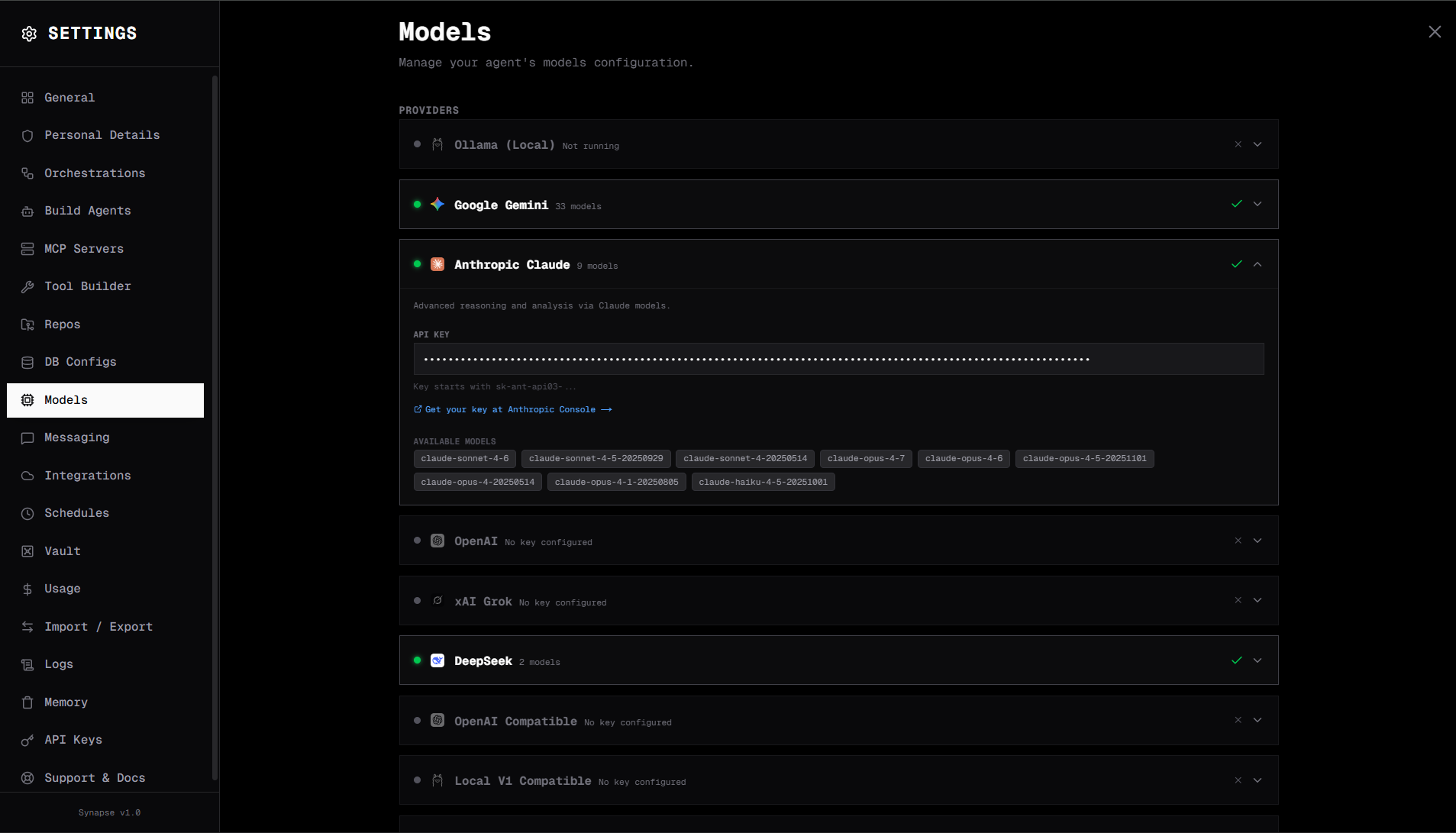
Step 1 — Configure a LLM provider
Open the Synapse UI at http://localhost:3000 and navigate to Settings → LLM.
Using Ollama (no API key required)
- Install Ollama if you haven't already
- Pull a model:
ollama pull mistral - In Synapse Settings, set Mode to
localand Default model tomistral
Using Claude or GPT-4
- Set Mode to
cloud - Enter your API key (Anthropic, OpenAI, Gemini, Grok, or DeepSeek)
- Set Default model — e.g.
claude-3-5-sonnet-20241022orgpt-4o
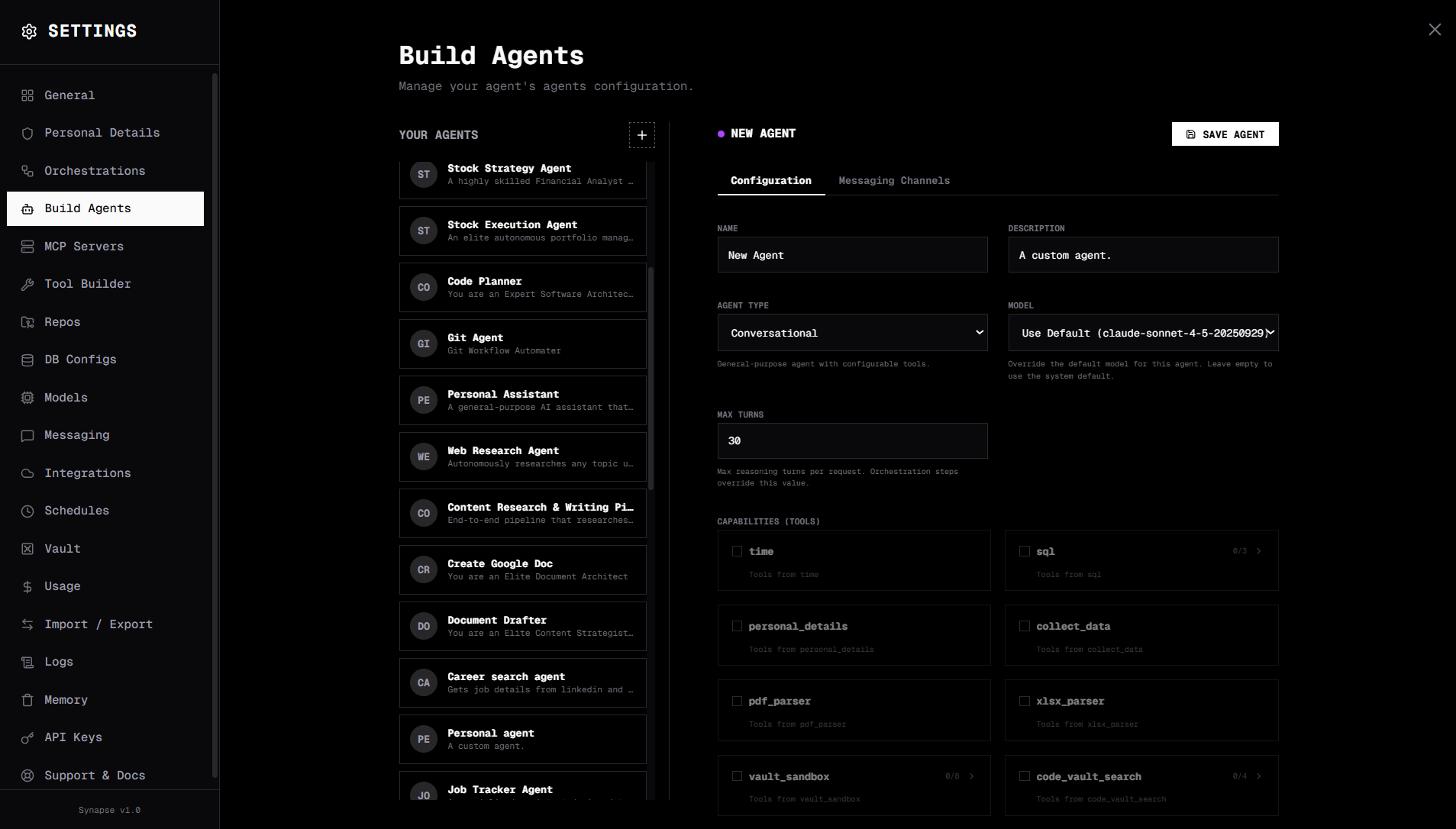
Step 2 — Create an agent
- Click New Agent on the canvas page (or the
+button in the sidebar) - Fill in:
- Name — e.g.
Research Agent - Type —
conversational - Tools — Select
web scraperorBrowser Automationtool (to start) - System prompt — e.g.
You are a helpful research assistant. When given a topic, search the web and provide a concise summary with key facts.
- Name — e.g.
- Click Save
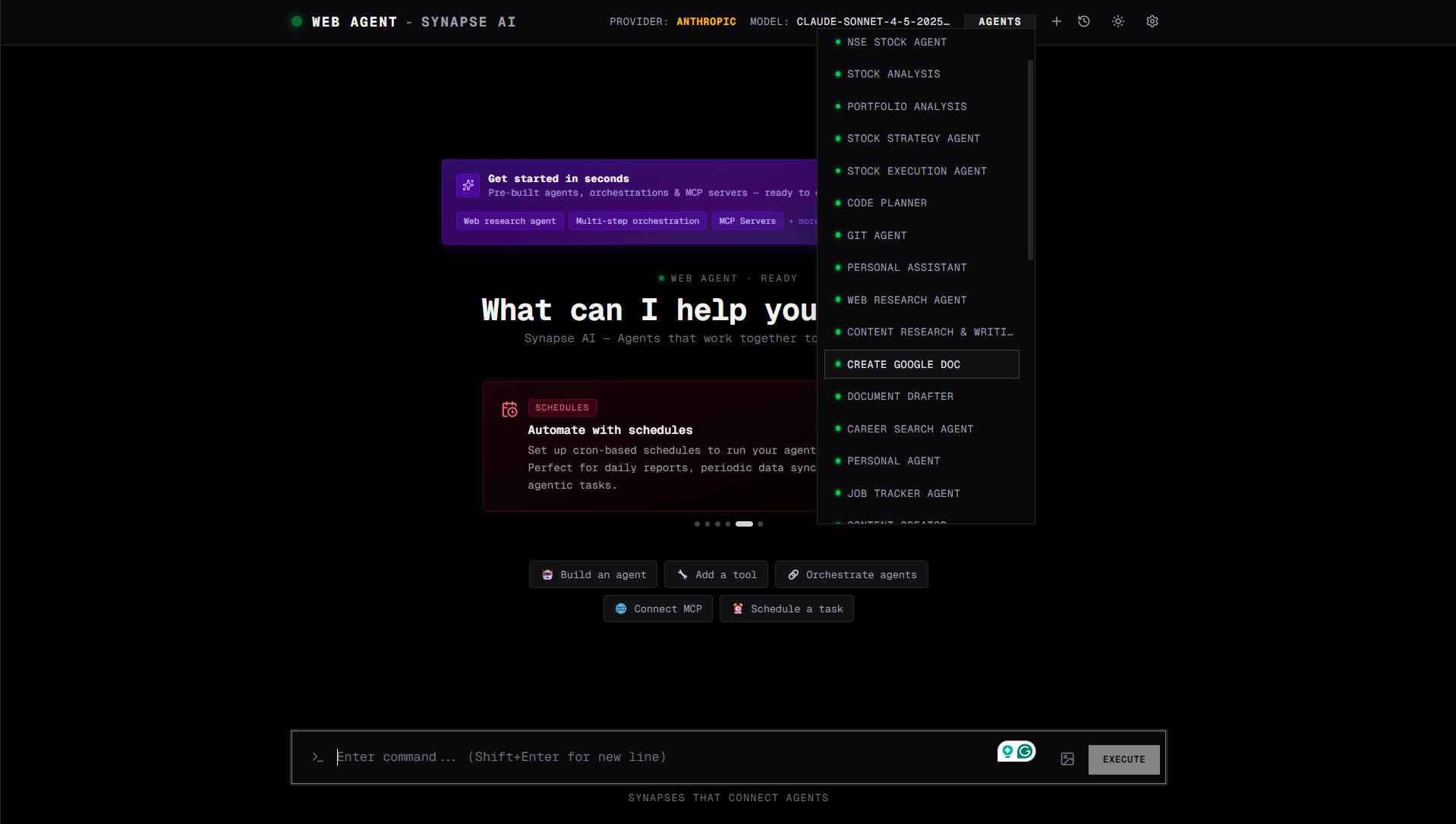
Step 3 — Chat with your agent
- Select your agent from the navbar
- Type a message:
What is the Model Context Protocol and how does it work? - Watch the agent reason through the problem, call tools if needed, and return a response
What's next?
| Topic | Description |
|---|---|
| Agents | Learn about agent types, tools, memory, and system prompts |
| Orchestrations | Build multi-step deterministic workflows |
| Tools | Explore the 10 native tools available to agents |
| MCP Servers | Connect GitHub, Jira, Zapier, and more |
| API Reference | Full REST API documentation |
| Docker | Run Synapse in a container |