MCP Servers
The Model Context Protocol (MCP) is an open standard for connecting AI agents to external tools and data sources. Synapse implements MCP as both a client (connecting to external MCP servers) and a server (the native tools run as MCP servers internally).
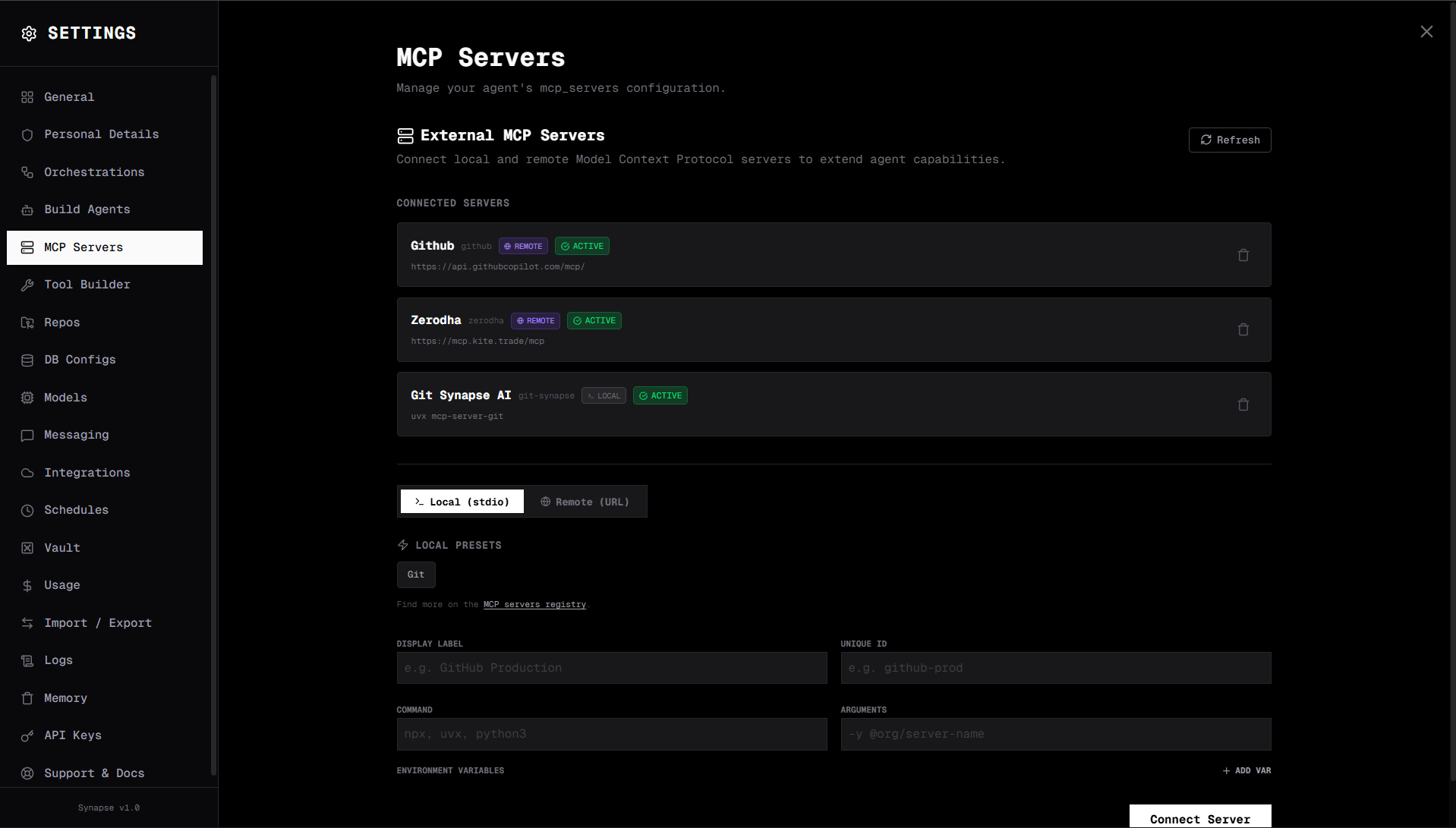
What MCP gives you
By connecting MCP servers, agents gain access to:
- GitHub — create issues, review PRs, manage repos
- Jira — create tickets, update status, query projects
- Zapier — trigger any Zapier workflow
- Figma — read design files, extract components
- Vercel — deploy projects, manage environments
- Fetch — make HTTP requests to any URL
- Any other MCP-compatible server — the protocol is open
How it works
- You add an MCP server config (name, type, connection details)
- Synapse connects to the server and loads its tool list
- All tools from the server become available to agents
- Agent calls a tool → Synapse routes it to the MCP server → result returned
Tool naming
Tools from external MCP servers are prefixed with the server name: {server_name}__{tool_name}
For example, if you connect a GitHub MCP server named github, its tools appear as github__create_issue, github__list_repos, etc.
Two server types
| Type | Description |
|---|---|
| Local (stdio) | A process on your machine communicated via stdin/stdout |
| Remote (URL) | A remote server accessed via HTTP (with OAuth or PAT) |
Managing MCP servers
Go to Settings → MCP Servers to add, remove, and reconnect MCP servers.
| Action | Description |
|---|---|
| Add | Configure and connect a new MCP server |
| Reconnect | Re-establish a dropped connection |
| Remove | Disconnect and delete the server config |
MCP vs Custom Tools
| MCP Server | Custom Tool | |
|---|---|---|
| Protocol | MCP standard | HTTP (REST) or Python |
| Setup | Config + connection | Define schema + endpoint/code |
| Discovery | Auto (server announces tools) | Manual (you define the schema) |
| Best for | Third-party integrations | Your own internal APIs |