LLM Providers
Synapse supports 14+ LLM providers through a unified interface. The active provider is determined by the model name prefix. You can set a global default model in Settings → Models and override it per-agent or per-step.
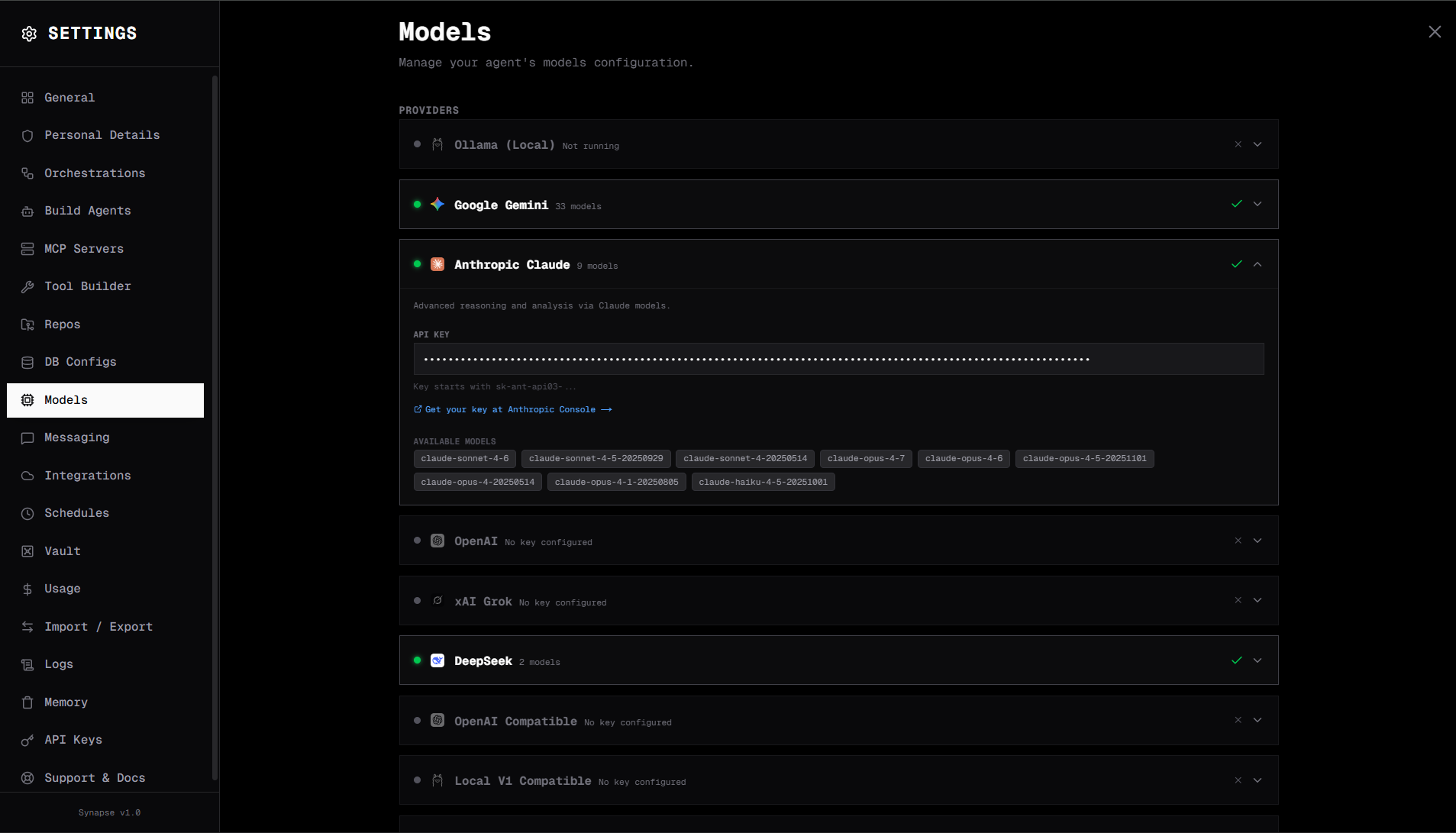
Provider routing table
| Prefix | Provider | Example models |
|---|---|---|
ollama. | Ollama (local) | mistral, llama3, qwen2.5, phi4 |
claude- | Anthropic | claude-3-5-sonnet-20241022, claude-opus-4-7 |
gpt- / o1- / o3- | OpenAI | gpt-4o, gpt-4o-mini, o1-mini, o3 |
gemini- / gemma- | Google Gemini | gemini-2.0-flash, gemini-1.5-pro |
grok- | xAI Grok | grok-3, grok-2-vision |
deepseek- | DeepSeek | deepseek-chat, deepseek-reasoner |
bedrock. | AWS Bedrock | bedrock.anthropic.claude-3-5-sonnet... |
oaic. | OpenAI-compatible (cloud) | oaic.mistral-7b, oaic.llama-3-70b |
locv1. | Local v1-compatible | locv1.mistral, locv1.qwen |
hf. | Hugging Face (local) | hf.Qwen/Qwen2.5-7B-Instruct, hf.meta-llama/Llama-3.1-8B-Instruct |
cli.claude | Claude CLI | cli.claude |
cli.gemini | Gemini CLI | cli.gemini |
cli.codex | OpenAI Codex CLI | cli.codex |
cli.copilot | GitHub Copilot CLI | cli.copilot, cli.copilot.claude-sonnet-4-5 |
Setting the default model
Each provider has its own card in Settings → Models. Click the card, paste the API key (and any region/base URL fields the card asks for), and click Save. Once at least one provider is connected, pick your default in the model selector at the top of the Models tab.
See Cloud Providers for per-provider field details, or Local Providers for Ollama / vLLM / LM Studio.
Advanced: direct settings.json edit
{
  "mode": "cloud",
  "anthropic_key": "sk-ant-...",
  "model": "claude-3-5-sonnet-20241022"
}
Per-agent model override
In the agent editor (Agents → click an agent), the Model field lets you pick any model that's available on a connected provider. Leave it on the (default) option to use the global default.
Advanced: equivalent agent JSON
{
  "name": "Fast Router",
  "model": "claude-haiku-4-5-20251001"
}
Per-step model override
Inside an orchestration, open the Step Config panel for any LLM, Agent, or Evaluator step and set Model Override. This is powerful for cost management: use a cheap model (e.g. Haiku, GPT-4o-mini) for routing and classification, and reserve capable models for steps that need them.
Advanced: equivalent step JSON
{
  "id": "step-classify",
  "type": "llm",
  "model": "gpt-4o-mini",
  "prompt_template": "Classify: {state.input}"
}
Cost limits
Open the orchestration editor's settings panel and set Max Total Cost (USD) to halt a run if costs exceed the budget. Cost is tracked in real time; the run transitions to failed with a cost-limit error when the budget is breached.
Advanced: equivalent orchestration JSON
{ "max_total_cost_usd": 0.50 }
Prompt caching
All providers above transparently benefit from the prompt cache, which is on by default and typically cuts long-conversation cost by 50–80%. View per-model savings in Settings → Usage.