Import & Export
Synapse supports portable bundle files that contain agents, orchestrations, and MCP server configurations. Use them to share your work, back up configurations, or deploy across environments.
What's in a bundle
A bundle is a single JSON file containing:
- Agent definitions (system prompts, tool lists, model overrides)
- Orchestration DAGs (steps, edges, guardrails)
- MCP server configurations
- Custom tool definitions
Vault files and conversation history are not included — bundles are configuration-only.
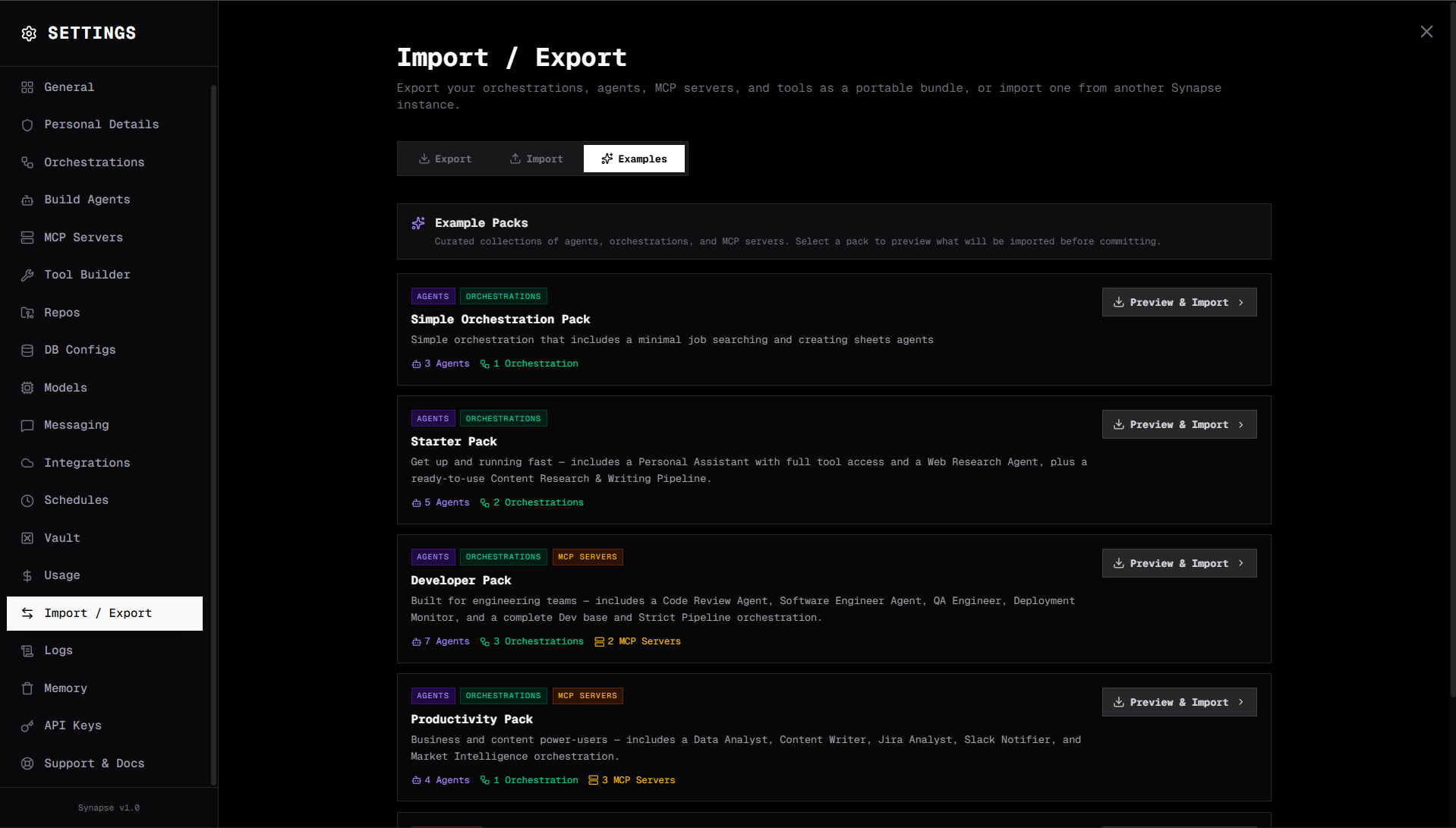
Exporting
Via the UI
- Go to the canvas or settings page
- Click Export on any agent, orchestration, or use Export All to bundle everything
- A
.bundle.jsonfile is downloaded
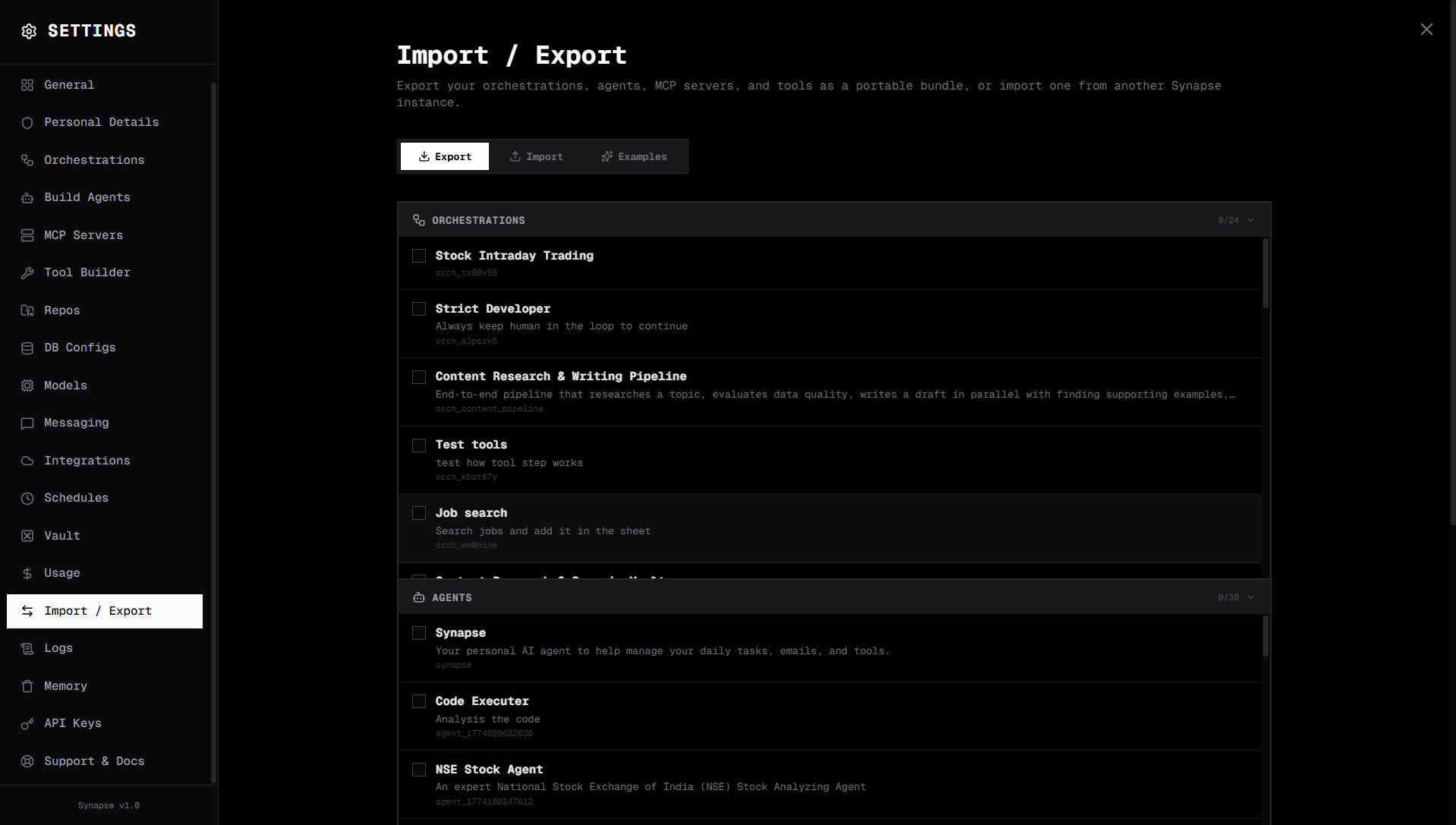
Importing
Via the UI
- Go to Settings → Import
- Drag and drop your
.bundle.jsonfile (or click to select) - Review the contents — agents, orchestrations, and MCP configs
- Click Import
Existing items with the same ID are updated. New items are created.
Example bundles
Synapse ships with example bundles for common use cases. Find them in Settings → Examples or in backend/examples/:
| Bundle | Description |
|---|---|
research_reporter | Research agent + report writer + human review orchestration |
data_analyst | SQL agent + chart generator + scheduled daily reports |
code_reviewer | Code search + review agent + GitHub MCP integration |
customer_support | Triage orchestration + Slack messaging + escalation flow |
Click Import on any example to add it to your Synapse instance instantly.
Bundle format
{
  "version": "1.0",
  "exported_at": "2024-11-15T14:30:00Z",
  "agents": [
    {
      "id": "agent-abc123",
      "name": "Research Agent",
      "type": "conversational",
      "tools": ["all"],
      "system_prompt": "...",
      "model": null
    }
  ],
  "orchestrations": [
    {
      "id": "orch-research-report",
      "name": "Research → Report",
      "steps": [ ... ]
    }
  ],
  "mcp_servers": [
    {
      "name": "github",
      "server_type": "remote",
      "url": "https://api.githubcopilot.com/mcp/"
    }
  ],
  "custom_tools": [
    {
      "name": "get_weather",
      "tool_type": "http",
      "method": "GET",
      "url": "https://api.weather.com/..."
    }
  ]
}
Version control
Commit your bundle files to git to version-control your agent configurations:
# Export current state
synapse export > bundles/production-v1.4.bundle.json
git add bundles/
git commit -m "chore: export agent configs v1.4"

# Restore on a new machine
synapse import bundles/production-v1.4.bundle.json
Sharing with the community
Share your bundles on GitHub or Discord to help others build similar workflows. The Synapse community maintains a growing library of example bundles at github.com/synapseorch-ai/synapse-ai/examples.