Python Tools
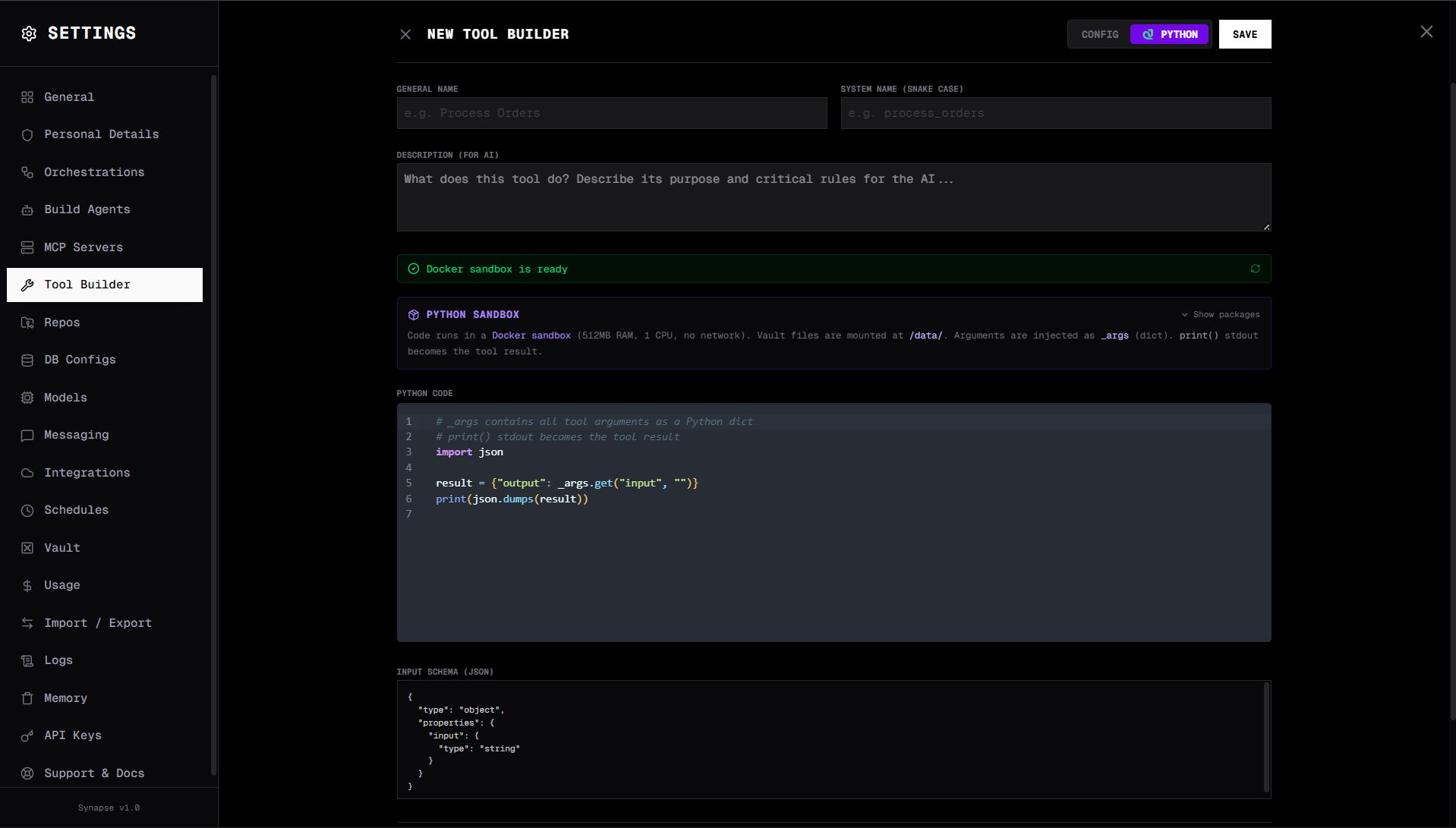
A Python tool is a Python function or script registered as an agent tool. When the agent calls it, the code runs in the Docker sandbox with all pre-installed packages available.
Registering a Python tool
Go to Settings → Custom Tools → Add Tool → Python Function.
Fields
| Field | Description |
|---|---|
| Name | Tool identifier (e.g. calculate_roi) |
| Display name | Human-friendly name |
| Description | What the tool does and when to use it |
| Parameters | Input schema (same format as REST API tools) |
| Code | Python code that runs when the tool is called |
Writing tool code
The tool code receives parameters via the _args dictionary. Write the output to stdout — everything printed is returned as the tool result.
# _args is automatically available — no need to import or define it
roi = float(_args['revenue'] - _args['cost']) / float(_args['cost']) * 100
print(f"ROI: {roi:.2f}%")
print(f"Net profit: ${_args['revenue'] - _args['cost']:,.2f}")
Pre-installed packages
The sandbox image includes:
pandas, pandas_ta, numpy, scipy, scikit-learn, matplotlib, seaborn,
requests, httpx, beautifulsoup4, lxml, openpyxl, xlsxwriter, pyyaml,
tabulate, jinja2, jsonschema, pillow, sympy
Example: Financial calculator
# Parameters: principal (number), rate (number), years (number)
principal = float(_args['principal'])
rate = float(_args['rate']) / 100
years = int(_args['years'])

total = principal * (1 + rate) ** years
interest = total - principal

print(f"Principal: ${principal:,.2f}")
print(f"Annual rate: {_args['rate']}%")
print(f"Duration: {years} years")
print(f"Final amount: ${total:,.2f}")
print(f"Total interest earned: ${interest:,.2f}")
Example: Data processing
import pandas as pd
import json

# Read data from vault (mounted at /data)
with open('/data/sales/data.csv') as f:
    df = pd.read_csv(f)

# Process
top_products = df.groupby('product')['revenue'].sum().nlargest(5)
result = top_products.to_dict()
print(json.dumps(result, indent=2))
Example: Text processing with regex
import re

text = _args['text']
pattern = _args.get('pattern', r'\b\d{3}-\d{3}-\d{4}\b')

matches = re.findall(pattern, text)
print(f"Found {len(matches)} matches:")
for m in matches:
    print(f"  {m}")
Accessing the vault
The vault is mounted read-only at /data inside the sandbox. Read vault files directly:
with open('/data/config/thresholds.json') as f:
    import json
    thresholds = json.load(f)
To write to the vault from a Python tool, use the vault_write tool in a subsequent agent step.
Testing
Click Test Tool in Settings → Custom Tools to run the code with sample _args values. Output is shown inline with exit code, stdout, and stderr.
Sandbox constraints
- No network access —
requestsandhttpxcannot call external URLs - 512 MB RAM, 1 CPU, 30s timeout
- Read-only filesystem (except
/tmpand/roottmpfs) - Vault available at
/data(read-only)
For tools that need network access, use REST API tools instead.