Full Execution Logs
Full execution logs capture every step of an agent run — the reasoning, tool calls, tool results, and final response. Use them for debugging, auditing, and understanding agent behaviour.
Viewing execution logs
Go to Settings → Logs → Execution in the Synapse UI.
Each log entry links to a full trace showing:
- Agent name and session ID
- Each LLM call and its reasoning
- Every tool call: tool name, arguments, and result preview
- Final response
- Token usage and cost for the run
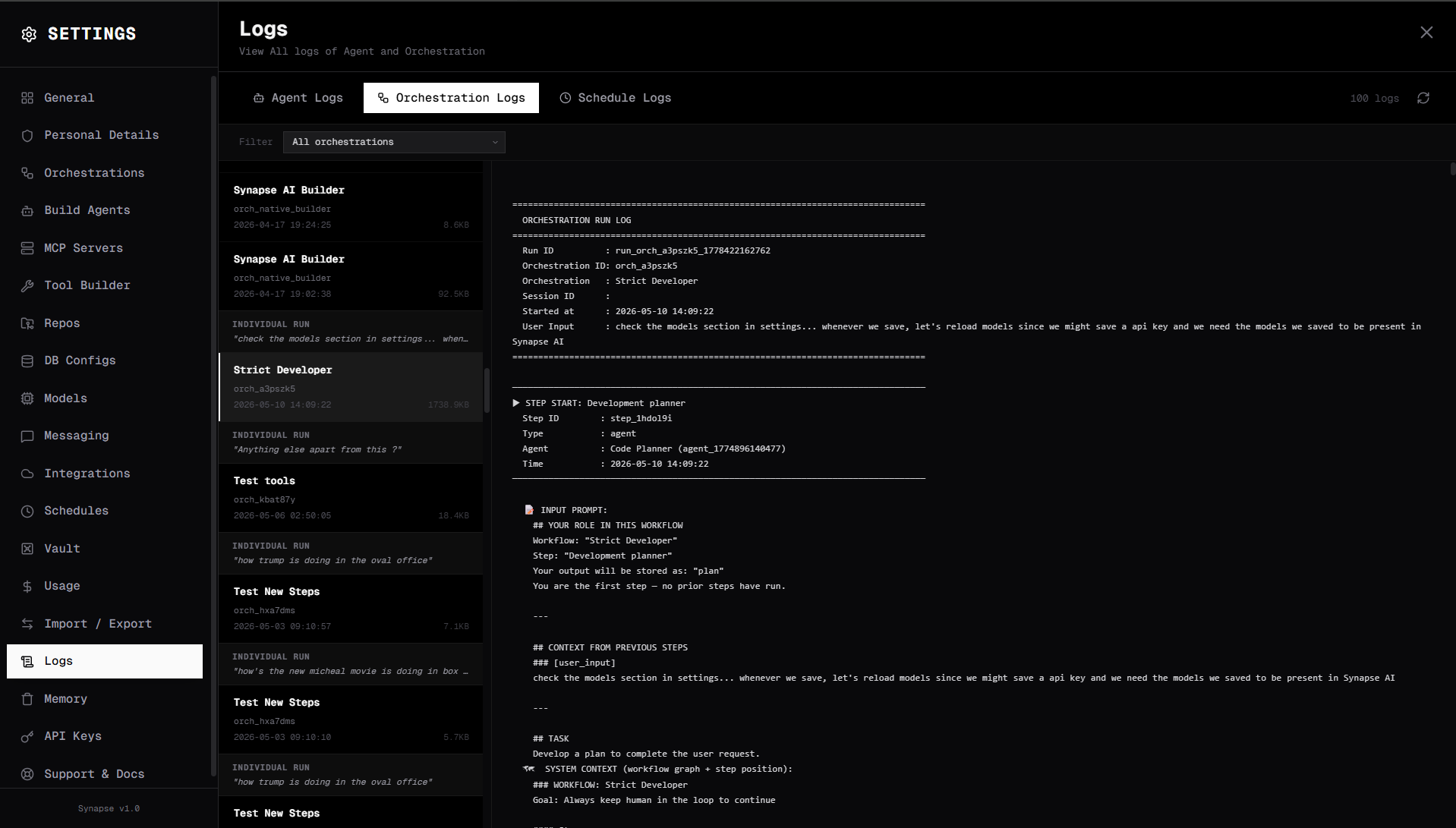
Agent run logs
For chat runs, each turn in the ReAct loop is logged:
[Turn 1] LLM call
  Thought: I need to search for current news about this topic.
  Tool call: browser_navigate(url="https://news.example.com")

[Turn 1] Tool result
  browser_navigate → "Article content: ..."

[Turn 2] LLM call
  Thought: I have enough information to answer.
  Final response: "Here is a summary of..."
Orchestration run logs
Orchestration runs capture each step's execution:
[Step: Research] agent
  Input state: { "query": "Synapse AI" }
  Agent turn 1: browser_navigate("https://github.com/...")
  Agent turn 2: vault_write("research/synapse.md", ...)
  Output: { "research_results": "..." }

[Step: Write] agent
  Input state: { "query": "...", "research_results": "..." }
  Agent turn 1: Generate article...
  Output: { "article": "# Synapse AI\n\n..." }

[Step: End]
  Final state: { "query": "...", "research_results": "...", "article": "..." }
  Duration: 45.2s
  Total cost: $0.023
Scheduled run logs
Schedule logs appear in Settings → Logs → Schedules. Each scheduled run shows:
- Schedule name and trigger time
- Actual execution time
- Run status (completed / failed / cancelled)
- Duration and cost
- Link to the full execution log
Log files on disk
Logs are stored as JSON files in DATA_DIR/logs/:
logs/
├── sessions/            # Per-session chat logs
│   └── {session_id}.json
├── orchestrations/      # Per-run orchestration logs
│   └── {run_id}.json
└── schedules/           # Scheduled run logs
    └── {schedule_id}/
        └── {run_id}.json
Clearing logs
Logs accumulate indefinitely. To clear old logs:
# Remove logs older than 30 days
find DATA_DIR/logs -name "*.json" -mtime +30 -delete
There is no automatic retention policy — manage disk space manually for long-running deployments.