Code Repositories
Synapse can index code repositories and give agents the ability to search them semantically and lexically. Agents describe what they want in plain language and receive file names, line numbers, and relevant code snippets. They can also grep, glob, and read line ranges — see Code Search for the full tool list.
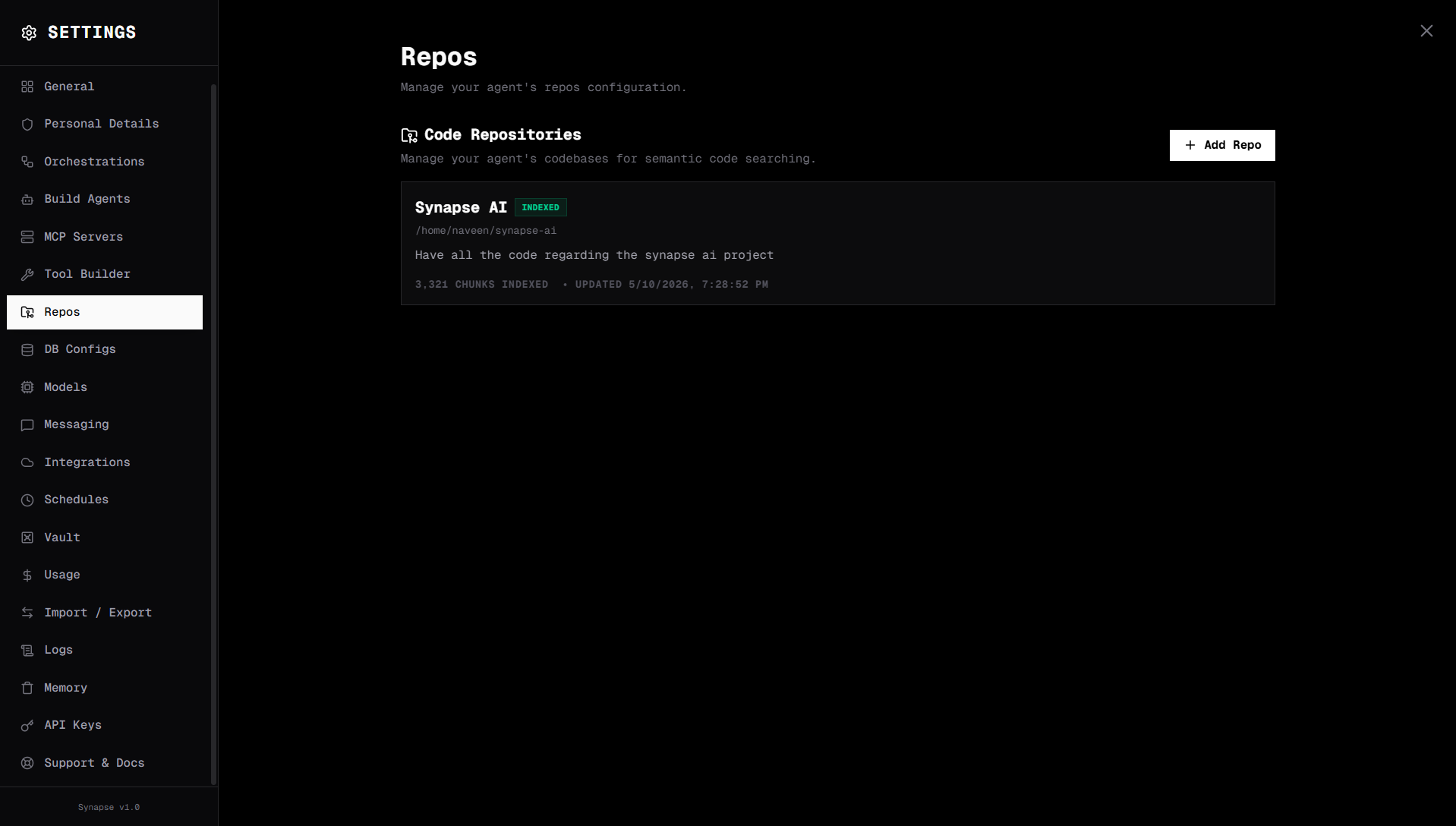
How it works
- You add a repo by absolute path on the server.
- Synapse walks the directory tree and chunks files by function/class/section.
- Each chunk is embedded with a vector model and stored in PostgreSQL + pgvector.
- Agents call the code search toolkit (
search_codebase,grep,glob, …) at run time. - Synapse returns ranked chunks for semantic queries, or exact matches for lexical queries.
Prerequisites
- PostgreSQL with the
pgvectorextension - An embedding model — Gemini by default, or any local/compatible embedding model you've configured in Settings → Models
Setting up PostgreSQL + pgvector
In Settings → General, toggle Code Repository Indexing on. Synapse inspects your machine and shows the right next step:
| What Synapse finds | What it shows |
|---|---|
| Working PostgreSQL with pgvector | Nothing more — you're done |
| PostgreSQL not installed | OS-specific install instructions |
| No database configured | A form for host, port, username, password, database name. Click Create Database to provision it and enable pgvector |
| pgvector missing | Instructions to run CREATE EXTENSION vector; plus OS package install commands |
| Connection broken | The credentials form pre-filled, with the failing URL surfaced — click Save & Connect |
If you'd rather set it up by hand:
CREATE DATABASE synapse;
\c synapse
CREATE EXTENSION vector;
…and then point Synapse at it via the same Settings → General toggle.
Advanced: direct settings.json edit
{
  "embed_code": true,
  "sql_connection_string": "postgresql://user:password@localhost:5432/synapse"
}
Adding a repository
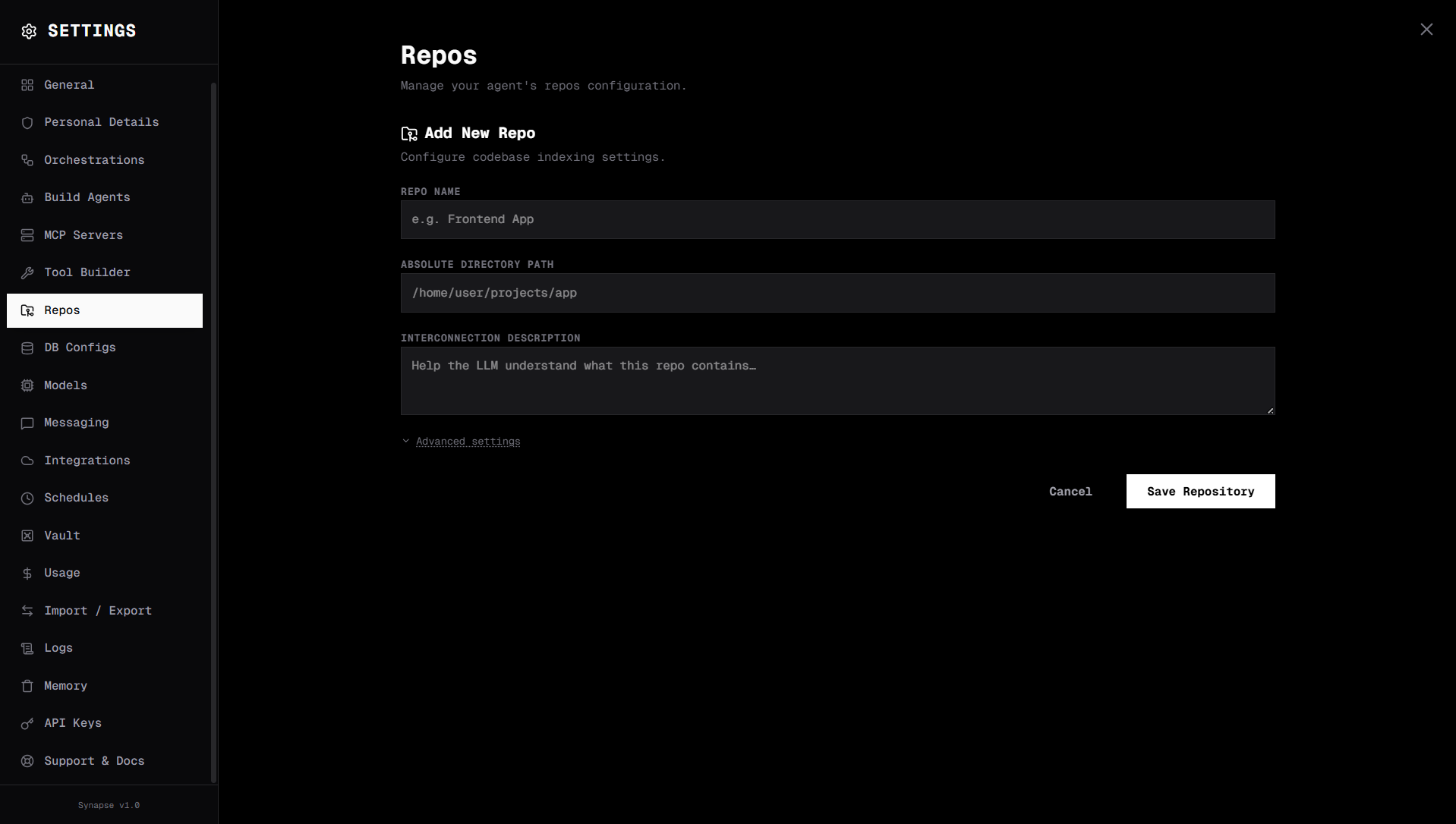
Go to Settings → Repos. Fill the form at the top of the page:
| Field | Default | Description |
|---|---|---|
| Repo Name | — | Display name (e.g. "Frontend App") |
| Absolute Directory Path | — | Full path to the repo on the host |
| Interconnection Description | — | Hint for the LLM about what this repo contains |
| Extra Excluded Patterns (advanced toggle) | — | One per line. Names match anywhere; paths anchor; *.ext works as a glob |
| Embedding model provider | gemini | Picked from your configured models |
Defaults already excluded: node_modules, __pycache__, venv, .git, *.pyc, all dotfiles.
Default included extensions: .py, .ts, .tsx, .js, .jsx, .rs, .go, .java, .md, .html, .vue, .css, .scss, .cpp, .c.
Indexing
Click Index on the repo card. Status transitions:
pending → indexing → indexed
Indexing progress shows the file count. Large repos (10k+ files) may take several minutes.
Re-indexing
After significant code changes, click Re-index on the repo card. The index is rebuilt incrementally where possible, and Synapse clears the code_search tool cache automatically so subsequent searches see the new chunks immediately.
Assigning repos to agents
Open the agent editor (Agents → click your agent) and tick the repos this agent should be able to search. Code-type agents get prompt scaffolding that nudges them to use the code search tools early in the loop.
Advanced: equivalent agent JSON
{ "repos": ["repo-abc123"] }
Filesystem access
The Filesystem MCP server complements code search by giving agents full read/write access to repo files. Together, search_codebase (find relevant files) + filesystem MCP (read/edit files) gives agents a complete software engineering workflow.
To add it: Settings → MCP Servers → Add Server → Local, then use the Filesystem preset (or set Command npx, Args -y @modelcontextprotocol/server-filesystem /path/to/repo).
Embedding models
| Provider | Model | Notes |
|---|---|---|
gemini | text-embedding-004 | Default. Good quality, requires Gemini API key in Settings → Models |
local | Any local embedding model | Set under the Local V1 Compatible card → Embedding Model Names |
openai_compatible | Any compatible model | Set under the OpenAI Compatible card → Embedding Model Names |