AI Builder
The AI Builder is a meta-agent that lets you design orchestrations through a conversational interface. Describe what you want in plain text and the builder generates the orchestration, creates the necessary agents, and configures MCP servers — all from a single conversation.
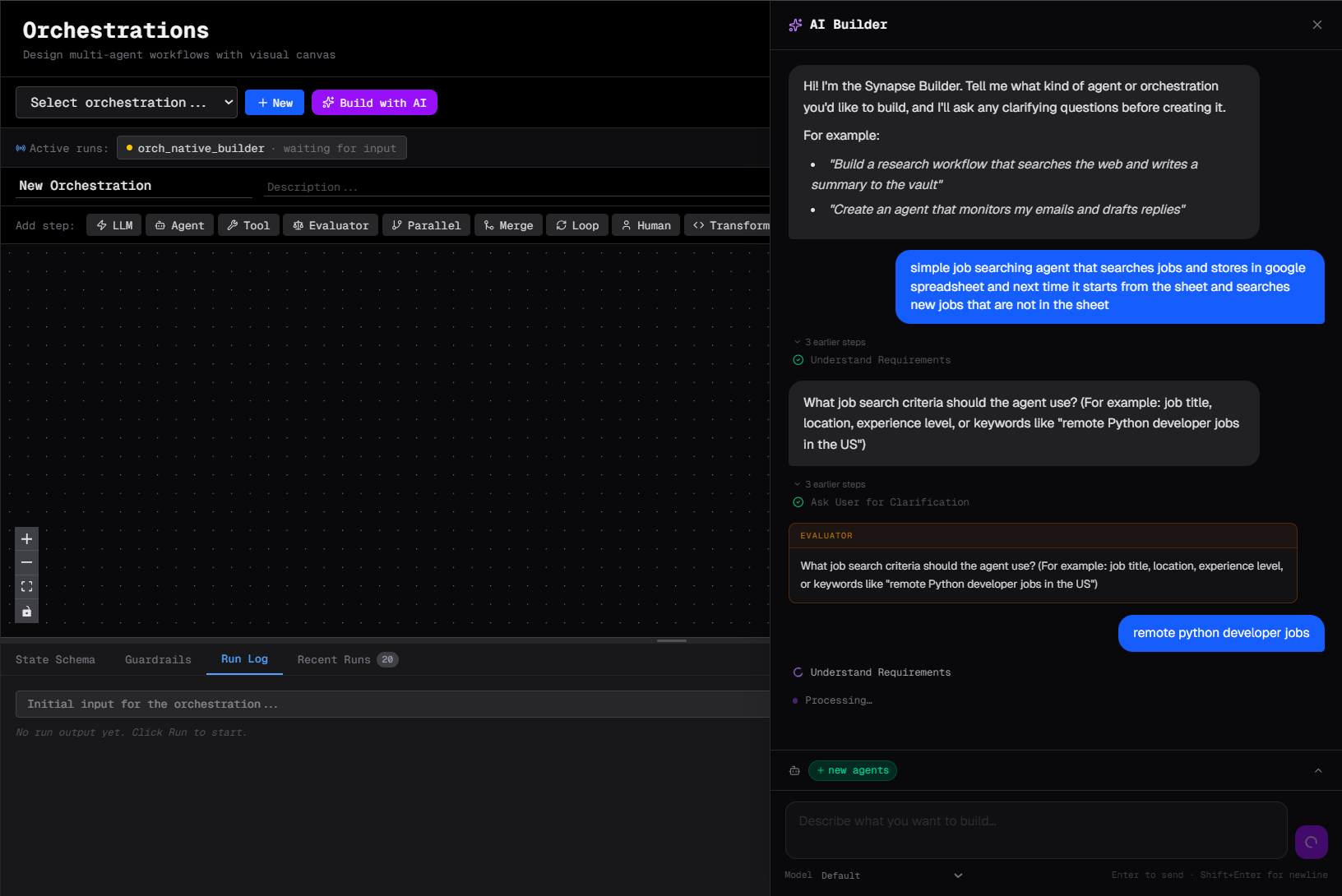
Accessing the AI Builder
Click AI Builder in the Synapse UI (or the wand icon on the canvas). This opens a dedicated chat window with the builder agent.
How it works
- Describe your workflow in plain language
- The builder asks clarifying questions if needed
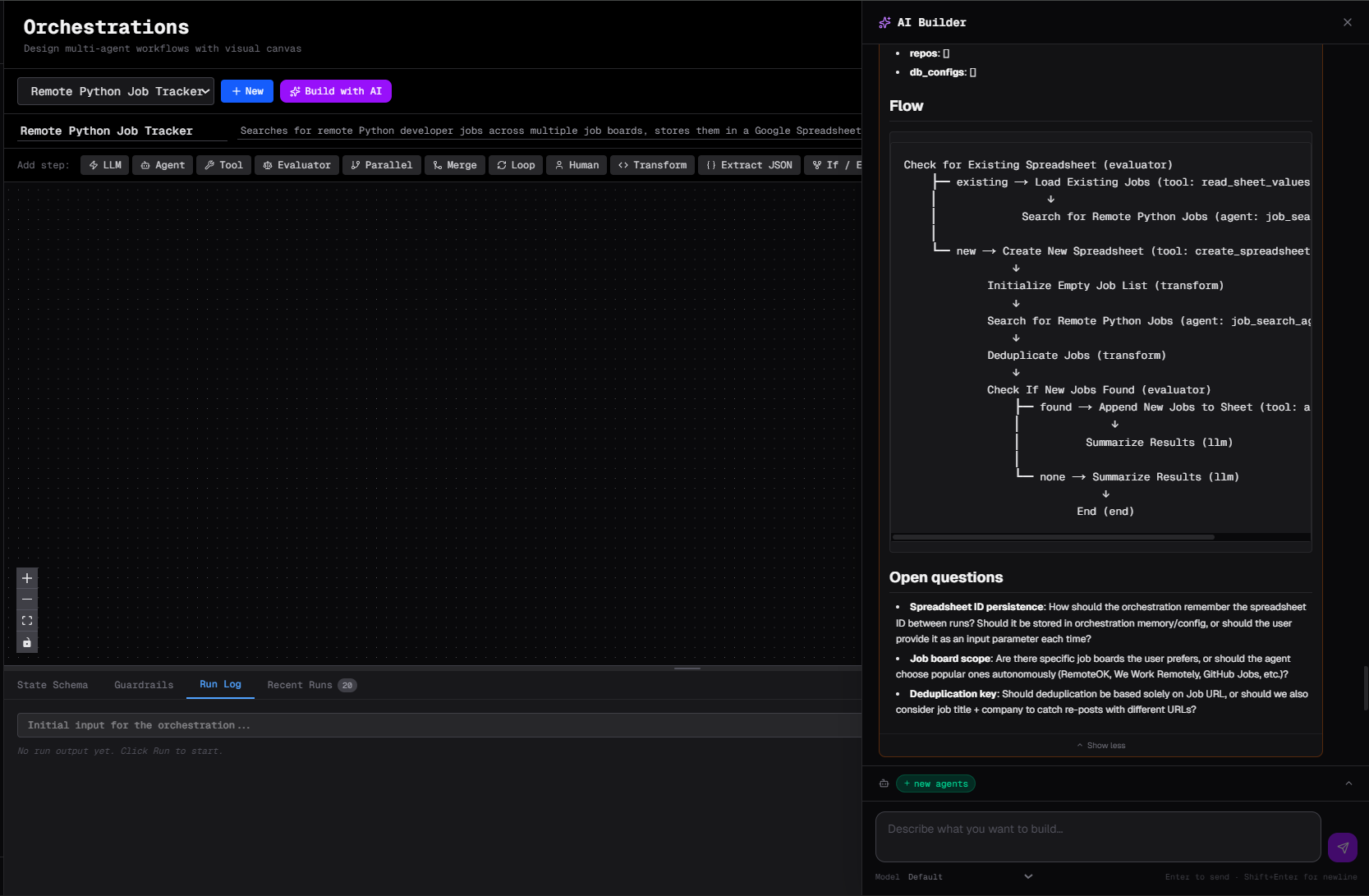
- The builder creates a Plan and asks for your approval
- Once approved it generates a complete orchestration JSON with all steps, edges, and guardrails
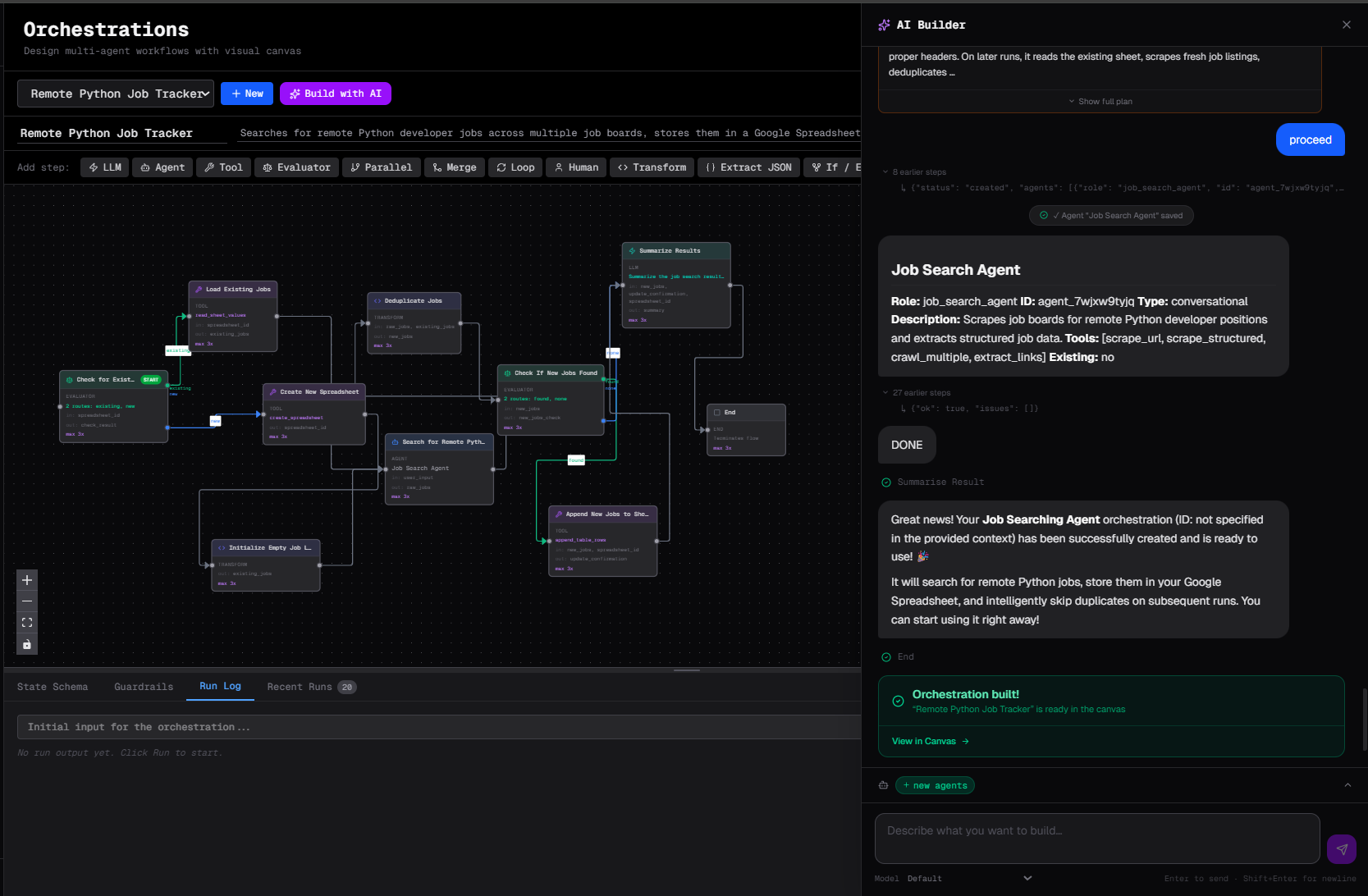
- It creates any agents referenced by the orchestration
- The orchestration appears on your canvas, ready to run
Example prompts
Simple pipeline
Build me a pipeline that:
1. Takes a URL as input
2. Scrapes the page
3. Summarises the content in 3 bullet points
4. Saves the summary to the vault as "summaries/{url}.md"
Complex workflow with branching
I need a customer support triage workflow:
- Classify the incoming message as: billing, technical, or general
- Route billing issues to the Finance agent
- Route technical issues to the Tech Support agent with access to our docs
- General issues go to the General agent
- After any agent responds, ask the user if they're satisfied
- If not satisfied, escalate to a human reviewer
Scheduled report
Create a daily report pipeline that:
1. Queries our sales database for yesterday's numbers
2. Compares to the previous week's average
3. Writes a summary with key metrics
4. Sends it to Slack #sales channel
Run it every morning at 8 AM.
What the builder generates
For each orchestration, the builder produces:
- Orchestration DAG — all steps with correct types and connections
- Agents — with appropriate system prompts and tool access
- State schema — documenting the data flowing through the pipeline
- Guardrails — sensible defaults for cost limits, timeouts, and turn counts
- Schedules — if you asked for automatic triggering
Editing the result
After the builder generates an orchestration, you can:
- Inspect it on the canvas — each step is visible and editable
- Modify any step's settings via the side panel
- Add or remove steps
- Ask the builder to modify it: "Add a retry step if the scraper fails"
Iterating with the builder
The builder maintains conversation history, so you can refine iteratively:
You: Build a research pipeline
Builder: Here's what I generated...
You: Add a step that checks if the research is at least 500 words before continuing
Builder: Done — I added an if_else step after "Research" that checks the word count...
Limitations
- The builder works best with clearly defined inputs and outputs
- Very complex branching logic may require manual adjustment on the canvas
- The builder creates agents with general system prompts — review and refine them for production use