Human Gates
A human gate is an orchestration step that pauses execution and waits for a human to provide input before continuing. This enables approval workflows, data collection, review processes, and any scenario where a human decision is required mid-pipeline.
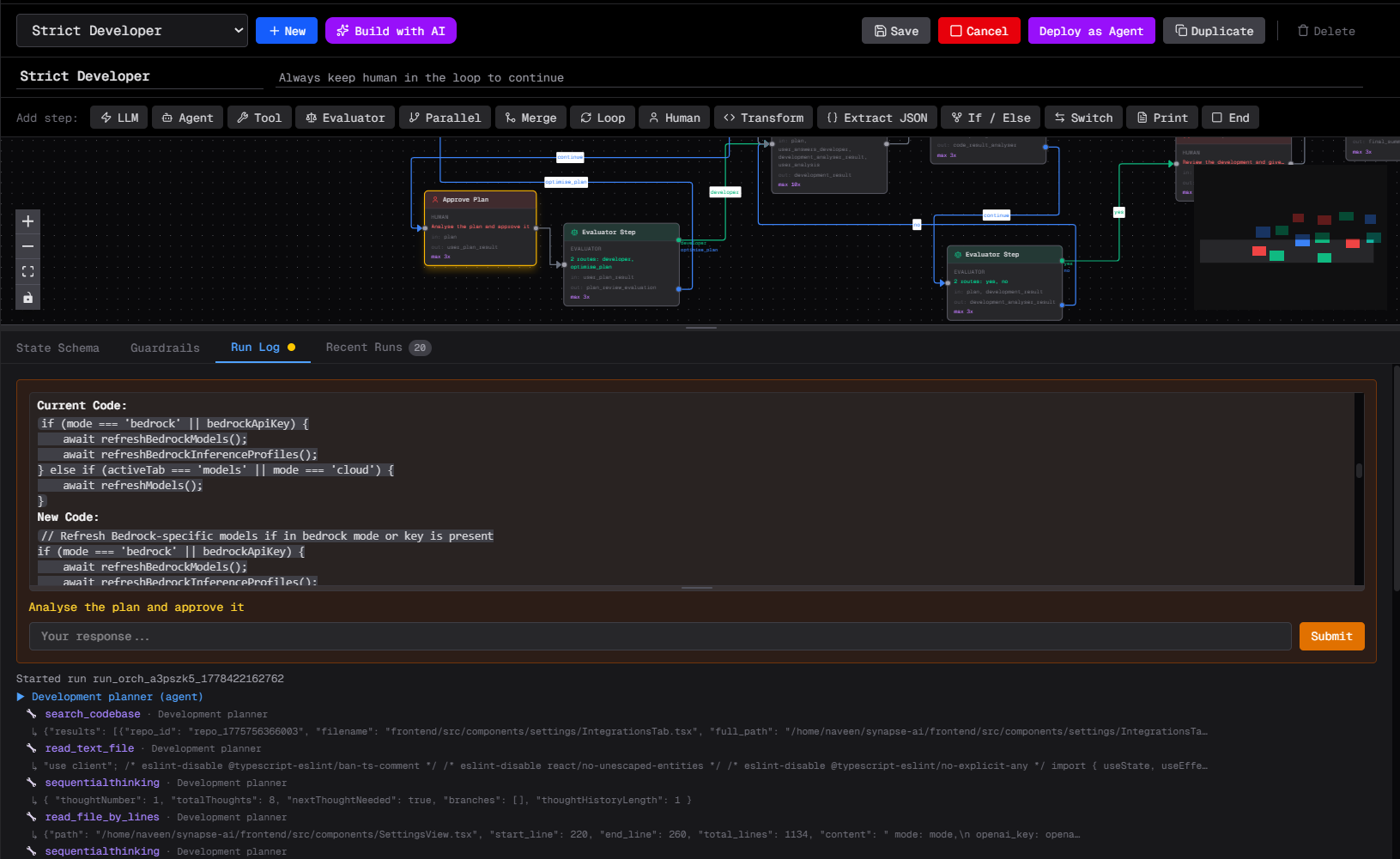
How it works
- The orchestration reaches a
humanstep - Execution pauses — the run status becomes
paused - The human input form is shown (in the UI or via messaging)
- The human submits their response
- Execution resumes from exactly where it paused
The paused state is persisted to disk, so the orchestration survives backend restarts.
Configuring a human step
{
  "id": "step-review",
  "type": "human",
  "name": "Review Draft",
  "human_prompt": "Please review the draft and provide your feedback.",
  "human_fields": [
    {
      "name": "decision",
      "type": "select",
      "label": "Decision",
      "options": "approve,reject,revise"
    },
    {
      "name": "feedback",
      "type": "text",
      "label": "Feedback"
    },
    {
      "name": "priority",
      "type": "number",
      "label": "Priority (1-5)"
    }
  ],
  "human_channel_id": "slack-channel-id",
  "human_timeout_seconds": 86400,
  "input_keys": ["draft"],
  "next_step_id": "step-process-feedback"
}
Field types
| Type | Description |
|---|---|
text | Free-form text input |
number | Numeric input |
email | Email address with validation |
date | Date picker |
phone | Phone number input |
select | Dropdown — list options in the options field as comma-separated values |
Messaging notification
Set human_channel_id to notify a messaging channel (Slack, Discord, Telegram, Teams, WhatsApp) when the gate is reached. The channel receives the prompt and a link to respond. The human can reply in the channel or in the UI.
human_timeout_seconds defaults to 3600 (1 hour). If the timeout expires and no response is received, the orchestration transitions to failed.
Responding via the UI
When an orchestration is paused:
- The orchestration card shows a "Waiting for input" badge
- Click on it to see the human prompt and fill in the form
- Click Submit to resume
Using human responses in subsequent steps
After the human gate, the submitted fields are available in shared state. Reference them with if_else or switch:
{
  "id": "step-check-decision",
  "type": "if_else",
  "if_condition": "state.get('decision') == 'approve'",
  "if_true_step_id": "step-publish",
  "if_false_step_id": "step-revise"
}
Multiple human gates
A single orchestration can have multiple human gates. Each pause creates a checkpoint — the run_id is stable across resumes and can be stored for later retrieval.