Adding Documents
Upload files, write into the folder, send records, or crawl public web pages — and follow each document as it is read, embedded and indexed.
Everything in a knowledge base is a file in its Vault folder, however it got there. There are four ways in:
| Source | How | Lands in |
|---|---|---|
| Uploads | Upload files, or drop files on the base | The folder, or a subfolder you name |
| The Vault | Anything written into the folder: the Vault page, an agent's Vault tools | Where it was written |
| Records | The Knowledge API, or a workflow's Ingest step | _records/<id>.json |
| Web pages | Add web pages, or the API | _web/<host>/… |
Uploads
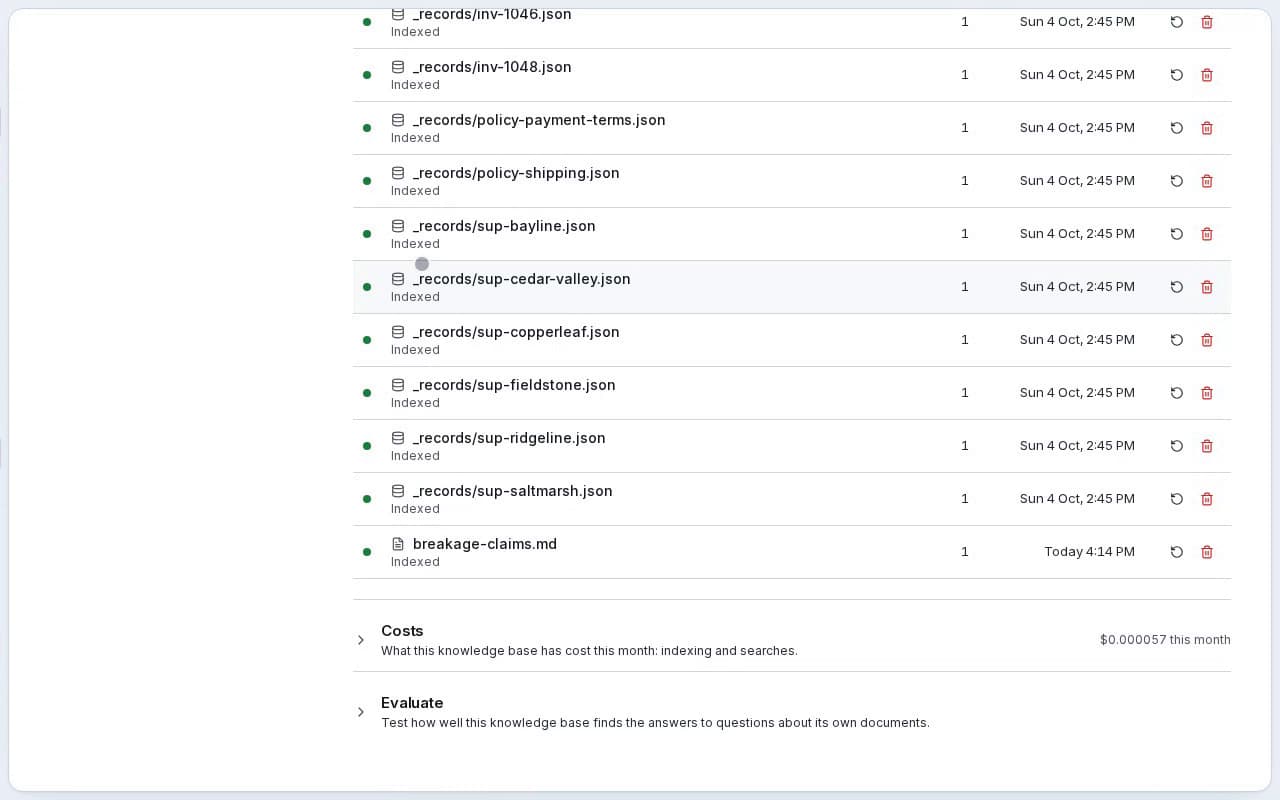 Click Upload files, or drop files on the base. Each file goes up in parts, so a large one shows how far it has got — 3.1 MB of 9.0 MB · less than a minute left, then Finishing… — and is queued for reading as soon as the last part arrives. If a part is refused or the connection drops, the upload is given up on the server, nothing is left half-written, and the error stays in the list until you dismiss it.
| Self-hosted | SynapseOrch Cloud | |
|---|---|---|
| Size of one file | 100 MB (knowledge_max_file_mb) | 100 MB |
| Pages in one file | 2,000 (knowledge_max_file_pages) | 2,000 |
| File types | Every type in Formats and parsing | Markdown, text, JSON, CSV, PDF, PNG, JPEG, WebP, and Word, Excel and PowerPoint (.docx, .xlsx, .pptx) |
| Uploads in progress at once | No limit | 5 per workspace |
On SynapseOrch Cloud an upload goes straight to storage, and counts toward your plan's Vault storage like any other file.
You can also upload from the Vault: a folder inside a base takes uploads into the base, with the same limits. On SynapseOrch Cloud that is how a Word, Excel or PowerPoint file, or a file over 10 MB, gets into the Vault at all — outside a base, the Vault takes files up to 10 MB of the types it can open.
Files written into the folder
A base follows its folder. A file saved on the Vault page, written by an agent's Vault tools, or put there any other way is read and indexed by itself; a file deleted from the folder leaves the index. On a self-hosted install a pass every minute also catches what was written straight to disk.
The base's own folders, _web and _records, are filled by Knowledge alone: the Vault offers no upload or new file there.
Records
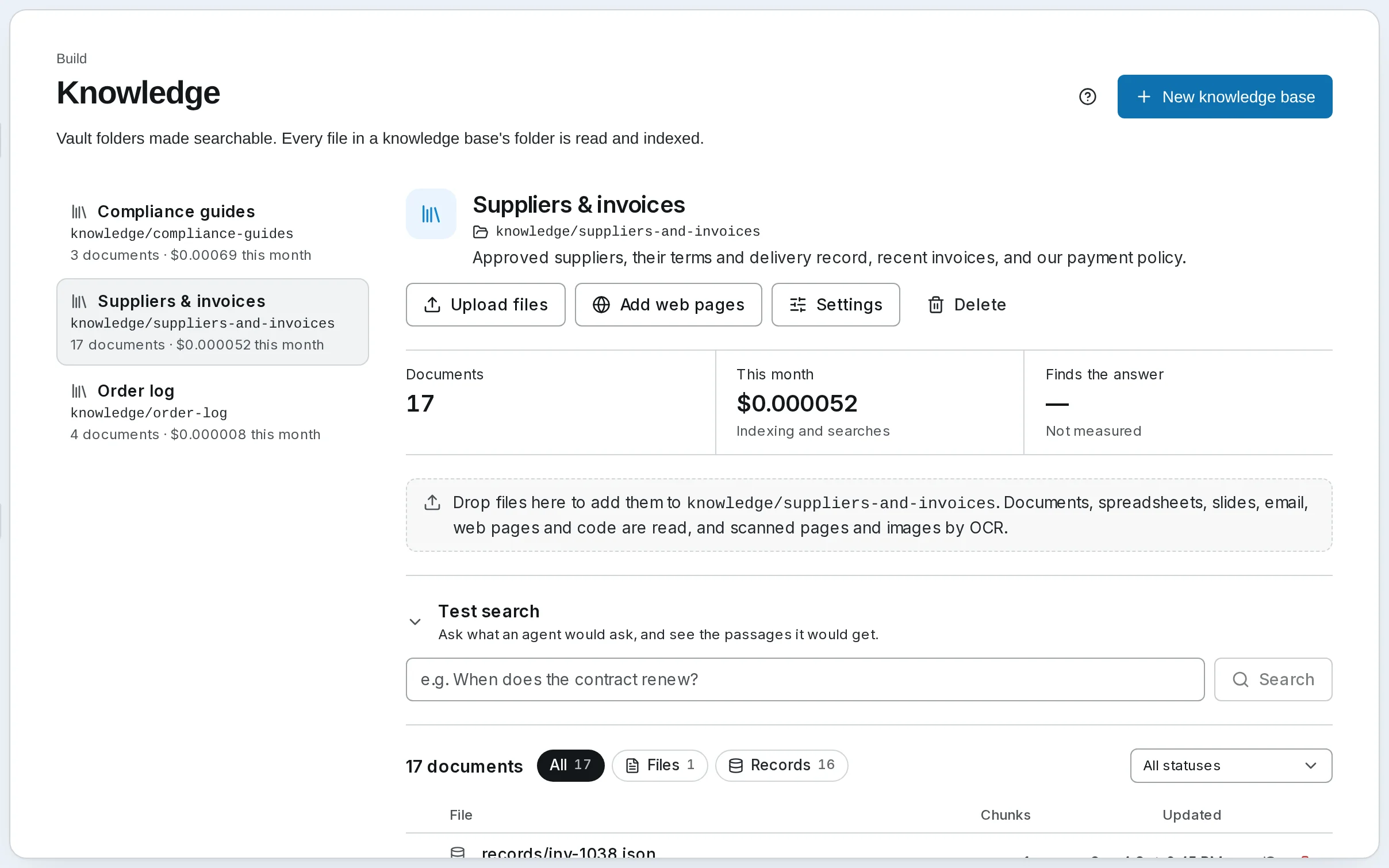 A record is a piece of text or a JSON object that you send rather than upload — a support ticket, a product entry, a row from your own database. Send records through the Knowledge API, or from a workflow with an Ingest step. Each one is kept as
 _records/<id>.json and indexed like any document:
- The id names the record: sending the same id again replaces it, and deleting the id removes it. Through the API, a record sent without one gets a new id each time, so give records an id whenever you may send them again. An Ingest step with no id field instead makes the id from the record's content, so the same record twice is one.
- A title and a date (
YYYY-MM-DD) are shown in citations and can be filtered on. - Metadata is any set of fields you choose, for filters.
Up to 100 records go in one request, each up to 1,000,000 bytes.
Metadata
Uploads, web sources and records carry optional metadata — a flat object such as {"doc_type": "contract", "year": 2025, "tags": ["legal", "urgent"]}. A search, a Retrieve step or an agent can then filter on it. Keys are letters, digits and underscores, up to 64 characters, starting with a letter or underscore. Values are text, numbers, true/false, or lists of text. path, source, mime and indexed_at are reserved, because every document already has them; title and doc_date are read into the document's title and date.
Metadata is set through the API and the Ingest step; the page's upload and web dialogs do not ask for it.
Web pages
Add web pages fetches public pages into the base and keeps them up to date. Enter one address per line, and choose what to fetch:
| Kind | Fetches |
|---|---|
| Pages | Exactly these addresses, one page each |
| Sitemaps | Every page a sitemap (sitemap.xml) lists, on the sitemap's own site |
| Sites | Each address, then the links it follows: on the same site, under the address's folder, up to How far to follow links |
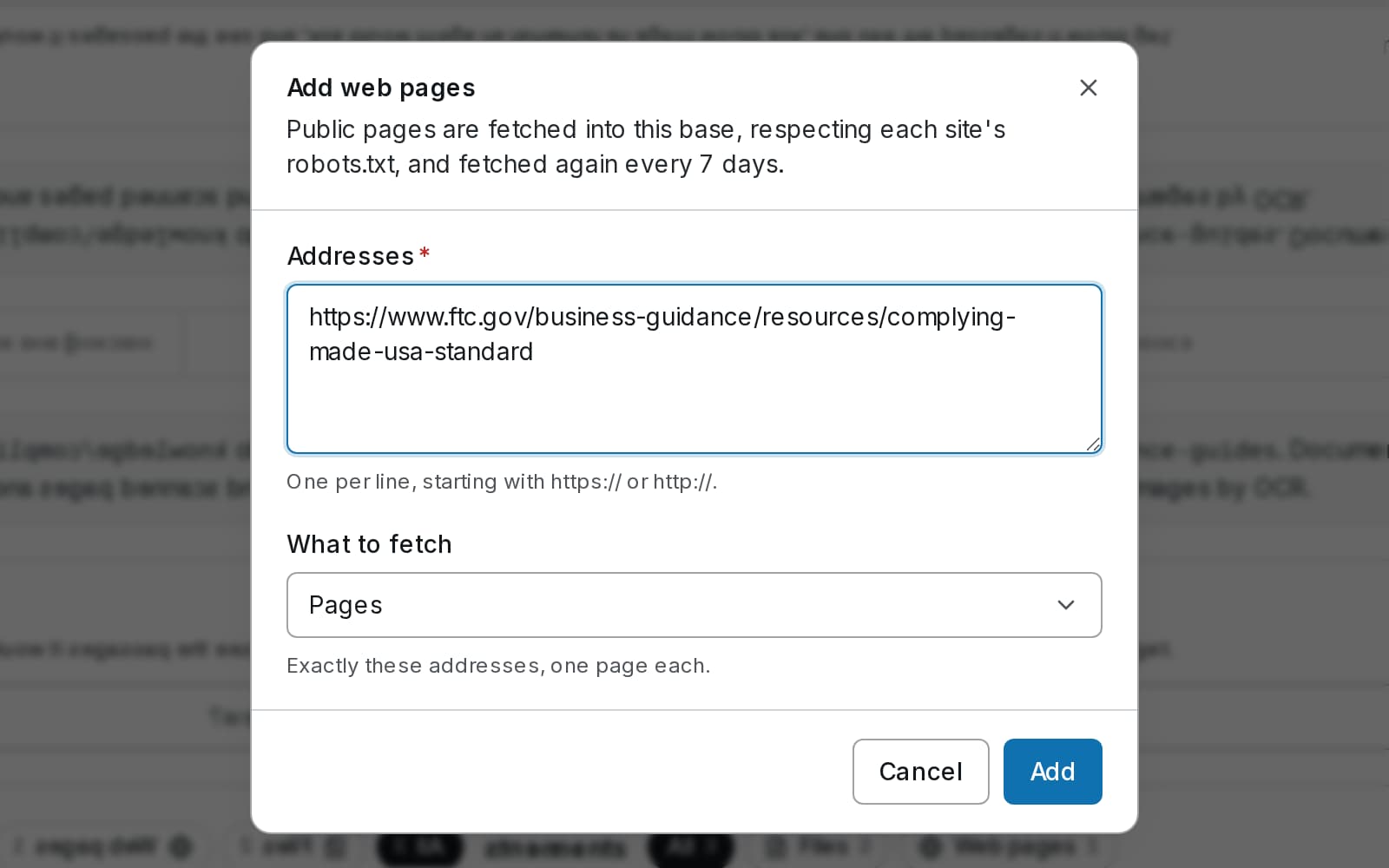
Most pages caps a sitemap or a site. Each address becomes a web source, listed under Web sources with its last fetch: 24 pages · fetched Oct 4 · 3 new or changed, 0 removed.
What a crawl reads
- robots.txt is respected. Synapse fetches as SynapseBot, with the User-Agent
Mozilla/5.0 (compatible; SynapseBot/1.0; +https://synapseorch.com/bot/). A site can address it by name in robots.txt, and itsCrawl-delayis honoured up to 30 seconds. A page markednoindex, by a meta tag or anX-Robots-Tagheader, is not kept; anofollowlink is not followed. What SynapseBot is. - One request at a time per site, by default a second apart, counted from when each request is actually sent. The pace is the site's, not the crawl's: every crawl of the same site shares it, whichever base — or, on SynapseOrch Cloud, whichever workspace — runs it.
- A page becomes Markdown in
_web/<host>/…, with its title, date and address at the top. A page over 5 MB is not read, and a request gives up after 60 seconds. A linked document Synapse reads, such as a PDF, is kept as it is. Anything else is counted and not stored. - Pages are fetched as served. Content a page builds with JavaScript after it loads is not seen.
- An unchanged page is left alone. Where it can, Synapse asks the site whether a page changed since the last fetch, and a page whose content is the same is neither rewritten nor indexed again.
- The counts move as it goes. A crawl's pages found, read and failed update live while it runs, and a new crawl of the same address starts again from zero.
Limits
| Self-hosted | SynapseOrch Cloud | |
|---|---|---|
| Pages per crawl | 500 | 500 |
| Links deep (Sites) | 3 | 3 |
| Requests per second, per site | 1 | 1 |
| Crawls at once | 2 | 1 per workspace |
| Time spent fetching, per crawl | No limit | 6 hours |
| Where pages are fetched from | Your server, which refuses loopback, private and link-local addresses, except hosts named in EGRESS_ALLOW_HOSTS | The platform's egress proxy, which refuses any address that is not on the public internet |
| Storage | No limit | Your plan's Vault storage |
A base, or a single request, may ask for less. On a self-hosted install the ceilings are the knowledge_crawl_max_depth, knowledge_crawl_max_pages and knowledge_crawl_rps_per_host settings, and knowledge_crawl_max_hours sets a time limit (0, the default, is none); on SynapseOrch Cloud they are the same for every plan. A base holds up to 50 web sources.
Fetched again every 7 days
Each source is fetched again every 7 days, and Fetch again now fetches it at once. The schedule is the base's recrawl_days, set through the API: 0 means only when you ask. Add web pages and the Web sources section both say the base's own schedule.
A crawl removes what is gone. A page that answers 404 or 410, turns noindex, or becomes disallowed leaves the base and the Vault. So, after a crawl that ran to the end, does a page no longer reached that no other source holds. Remove on a source stops its crawl and deletes the pages only it fetched; pages another source also fetches stay.
When a crawl stops short
A crawl that stops early deletes nothing, so a cut-off crawl never empties a base:
| The source says | Why |
|---|---|
| stopped at the page limit, so nothing was removed | It reached Most pages |
| Stopped at the crawl's time limit, so nothing was removed; the next crawl starts again. | It spent its time limit fetching: 6 hours on SynapseOrch Cloud, knowledge_crawl_max_hours on a self-hosted install |
| Stopped because the vault is full, so nothing was removed: … | SynapseOrch Cloud: the plan's Vault storage is used up |
| Interrupted by a restart; fetched again shortly | The server restarted mid-crawl. The crawl carries on from where it stopped |
| Failed: … | The crawl could not run — for example, robots.txt could not be read |
A long crawl
A crawl that stops part-way — a restart, a deploy — carries on from where it stopped. What it already fetched is not fetched again, and a page an earlier part reached counts as reached, so the crawl still removes only what is really gone.
On SynapseOrch Cloud a crawl runs ten minutes at a time, then gives way to other work and waits for its next turn; meanwhile the source reads Waiting for its turn · 120 pages fetched so far. Only the time spent fetching counts toward its 6 hours, not the time it waits for a turn.
An address you named that is refused or fails is listed as a document of its own, so the reason is visible: Blocked (Disallowed by robots.txt, Address refused), Failed (Could not be fetched) or Skipped. Retry fetches a failed one again; a blocked one stays blocked until the site's robots.txt or the address changes, and is fetched again on the next crawl.
Progress
A document's row shows what it is doing while it works:
| Stage | Counts |
|---|---|
| Reading | Pages |
| Reading scanned pages | Pages |
| Writing contexts | Passages — only with Contextual Retrieval |
| Embedding | Passages |
| Indexing | — |
Once it has a pace it adds the time left: Embedding · 1,152 of 2,000 passages · about 2 min left. A rebuild of the whole base shows the same above the documents — see Rebuilds.
A rate limit is waited out, not failed. When a provider says to slow down, the row reads Waiting for OpenAI's rate limit until 14:05; it carries on by itself. — on SynapseOrch Cloud's own models, the platform's rate limit. The wait starts at 15 seconds and grows to a minute; a document fails only after ten minutes in which nothing was answered.
On SynapseOrch Cloud a wait longer than two minutes gives the document's place to other work: it goes back to Queued, still saying until when, and at that time carries on from where it stopped. The ten minutes count across those waits.
Nothing is bought twice. A document that pauses or fails part-way — an empty wallet, a budget reached, a provider down — keeps what was already answered: the passages already embedded, the contexts already written and the scanned pages already read. Retried or resumed, it pays only for the rest.
Knowledge Bases
Make a Vault folder searchable, so agents and workflows answer from your own documents and say which passage each answer came from.
Formats and Parsing
Which files a knowledge base reads, how each is read, what the optional knowledge extra adds, scanned pages and OCR, and the limits on one file.