Search and Settings
How a knowledge base search finds passages — words, meaning, fusion and rerank — the test search and its trace, every setting, embedding and rerank models, and rebuilds.
How a search runs
Every search — an agent's, a Retrieve step's, the API's, the test search — runs the same way:
- Two searches at once. A keyword search matches the question's words (stemmed in the base's language) — a code or a host name is found by its parts, so 4471 finds DOCK-4471, and a passage that has it whole ranks first — and a meaning search compares the question's embedding with each passage's, so a passage that says the same thing in other words is found too. Each brings back up to Candidates per search (50).
- Fusion. The two lists are merged by reciprocal rank, each weighted — keyword and meaning count equally unless you change them.
- Rerank. Where a reranker is set, it reads the question against the best Rerank candidates (50) and reorders them.
- The cut. The top Passages per search (8) are kept, dropping any below a Minimum score you set.
- Context. Each passage can bring its neighbours, or its whole section, up to the Context limit (6,000 tokens).
Filters — on a document's path, source, type, title, date or your own metadata — are applied inside the index, in the same query as the search, so they never leave you with fewer passages than you asked for. Each passage is labelled [K1], [K2]… and comes with its citation: the file, its page or pages, the section heading, and when it was indexed.
A base with no embedding model is searched by words alone, and says so. So is a base past its monthly budget.
Test search
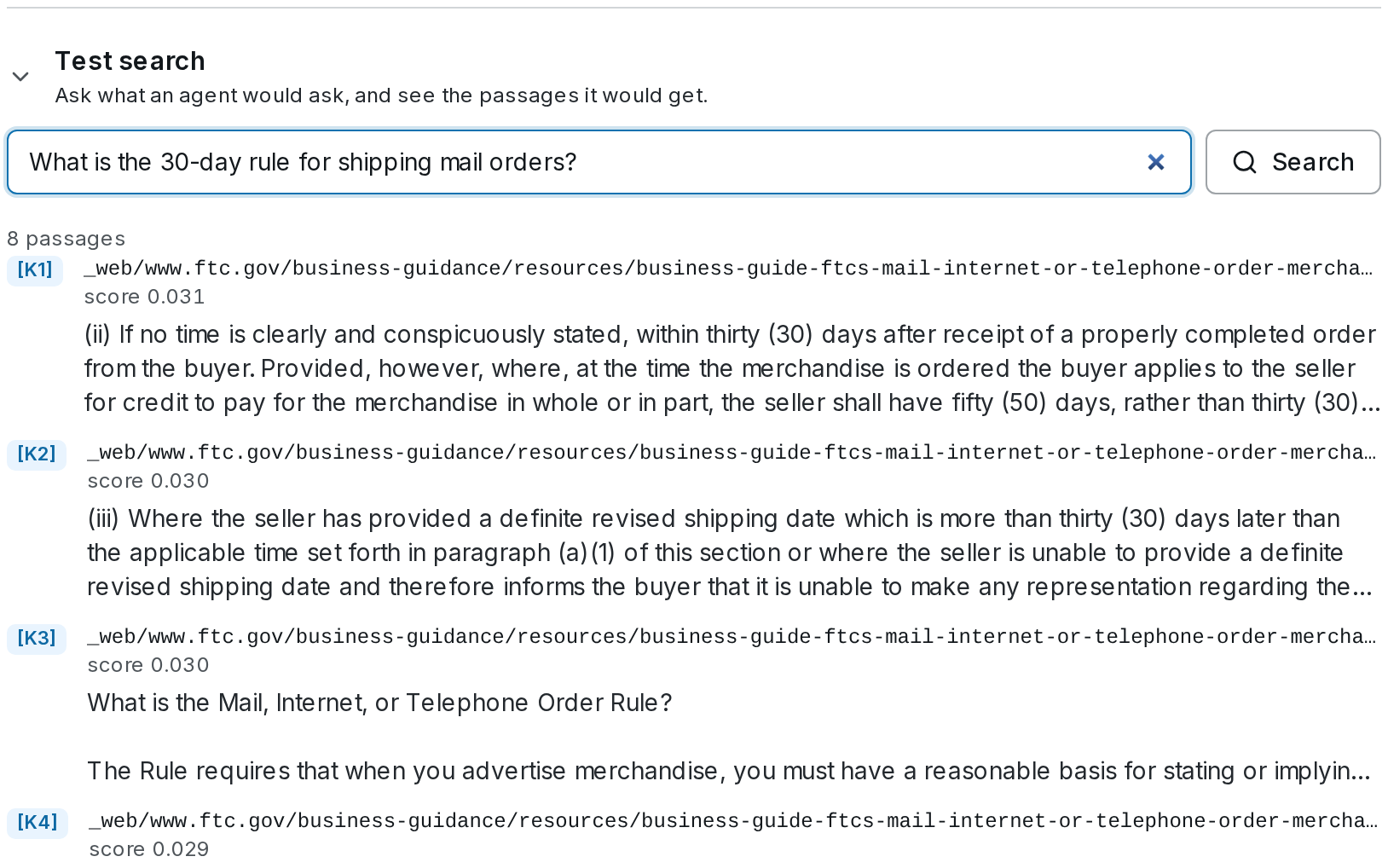 Test search, on the base's page, asks what an agent would ask and shows the passages it would get: each one's label, file, page and section, score, and first lines. Open Trace for how the answer came about:
| Row | Shows |
|---|---|
| Leg: lexical / Leg: vector | How many passages each search returned of those asked for, whether a filter ran inside the index, and its time |
| Fusion | The fusion's k and each search's weight |
| Rerank | The reranker, how many passages it kept, and its time |
| Cut | What was dropped, and by which rule |
| Index version | Which version of the index answered (ksnap_…) |
| Time | Embedding the question, each search, fusion and rerank, in milliseconds |
| Cost | What the search cost, and on SynapseOrch Cloud what was charged |
When a search had to do without something, it says so above the passages:
| Note | Why |
|---|---|
| Matched by words only: search by meaning needs an embedding model. | The base has no embedding model |
| The question could not be embedded; words only. | The embedding model failed for this question |
| No reranker is set; results are in search order. | Rerank was asked for, and none is configured |
| Reranking failed; results are in search order. | The reranker failed; the fused order stands |
| Not tried: it failed 3 times in a row; trying again after 14:05 UTC. | After three failures in a row the reranker is paused for five minutes, and the searches meanwhile keep their fused order; one search tries again after that |
| This knowledge base hit its monthly budget. | Words only, with no embedding or rerank charged, until the budget allows |
| This search used an index version that has been replaced. | A step pinned to an old version, during the week it is kept |
Every search's trace is kept for 30 days — longer while a question set in Evaluate holds it.
Settings
Settings, on the base's page, opens the base's settings in three groups. Search settings apply to the next search. Index settings rebuild the index — the button becomes Save and rebuild, with the price below it — and the current index keeps answering until the new one is ready.
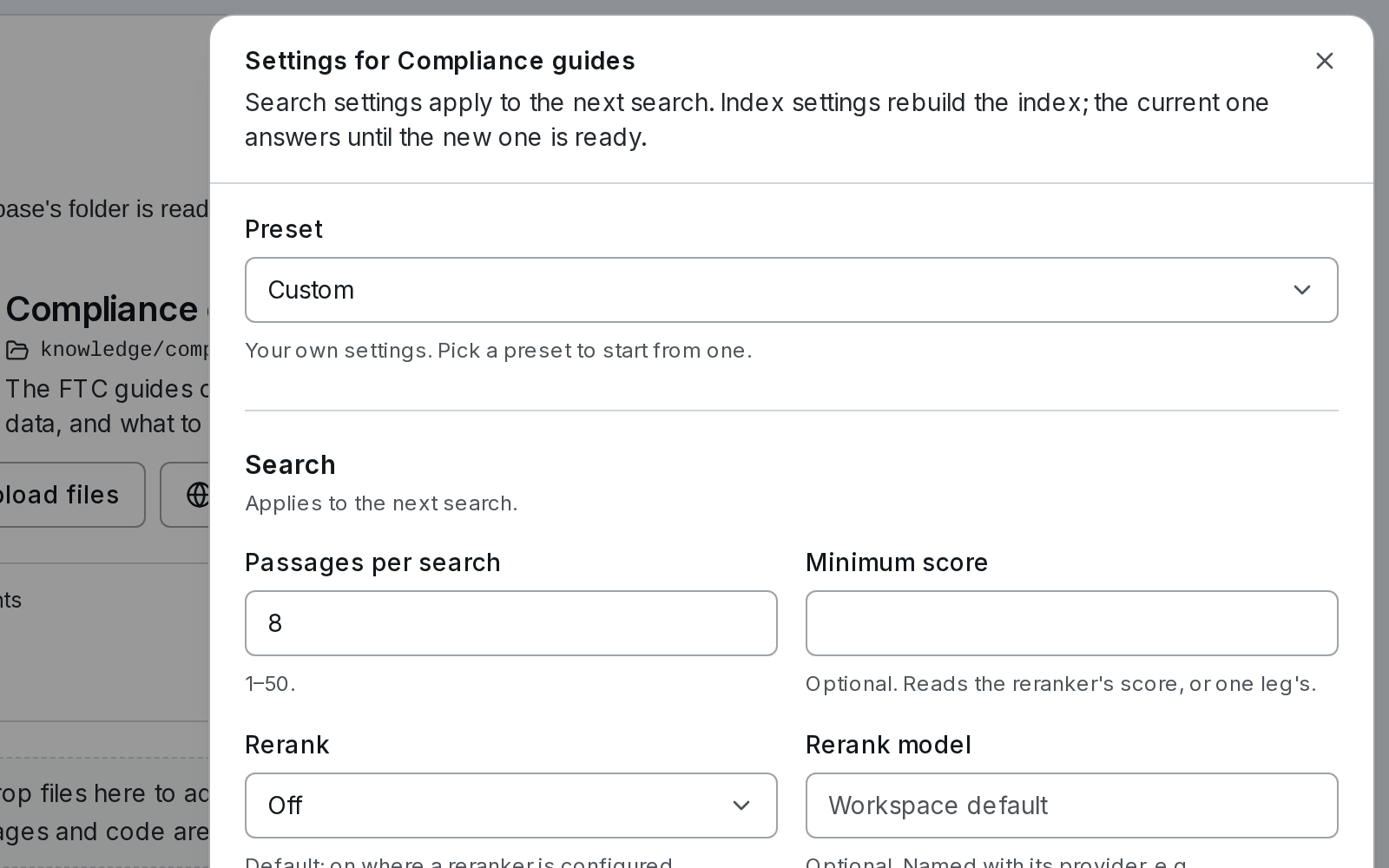
Search — applies to the next search
| Setting | Default | |
|---|---|---|
| Passages per search | 8 | 1–50 |
| Minimum score | None | Drops passages below it, in a search of this base alone. It reads the reranker's score when there is one, otherwise a search's own |
| Rerank | Default | Default reranks where a reranker is configured; On or Off decides for this base |
| Rerank model | Workspace default | Picked from what your keys can use — see Rerankers |
| With neighbouring passages | No | Neighbours adds the passage before and after; The whole section adds its section |
| Context limit (tokens) | 6,000 | 500–100,000. How much passage text an agent gets from one search |
| Keyword weight / Meaning weight | 1 / 1 | How much each search counts in fusion. 0 leaves one out |
| Candidates per search | 50 | 10–200, from each search, before fusion and rerank |
| Rerank candidates | 50 | 1–100 |
Index — changing these rebuilds the index
| Setting | Default | |
|---|---|---|
| Embedding model | Workspace default | Searches by meaning. Without one, by words only — see Embedding models |
| Width | The model's own | Fewer dimensions, for a model that offers them (such as OpenAI's text-embedding-3 models, or Titan's 256/512/1024). A width the model cannot give is refused when you save |
| Passages | By section | By section cuts at headings and keeps tables whole; Fixed size; One per page; Whole document |
| Passage size (tokens) | 450 | 64–2,000, for By section and Fixed size |
| Overlap | 0% | 0–25% of a passage, for By section and Fixed size |
| Language | Simple | For keyword matching. A stemming language matches forms of a word, so terminate finds termination: on a Postgres store — SynapseOrch Cloud, or a self-hosted install on Postgres — English and 21 more languages stem; on a self-hosted install's built-in SQLite store, only English does. Simple stems nothing, for mixed or other languages |
| Context for each passage | Title, date and section (free) | Each passage is indexed after a line naming its document, date and section. Contextual Retrieval has a model write a context for every passage instead — see Contextual Retrieval |
Budget and access
| Setting | |
|---|---|
| Monthly budget (USD) | What the base may spend in a calendar month. At the budget, indexing pauses and searches use words only — see Costs and budgets |
| Visitors may search it | Lets widget and channel visitors search the base, when its tools are also ticked on the widget or channel. Off by default |
If someone else saved the base while you had its settings open, saving is refused with Someone changed this knowledge base since you opened it, so neither edit is lost silently. Reload and make your change again.
Embedding models
A base embeds with the model in its settings, or the workspace's default.
On a self-hosted install that is Settings → Models → Knowledge → Embedding model for knowledge, or the workspace's own embedding model when that is empty. Any embedding model a configured provider serves works — OpenAI, Gemini, Amazon Bedrock, Ollama, an OpenAI-compatible server, a local server. Synapse knows the common models' widths and how each wants queries and documents told apart; a model it does not know is tried once with one text to learn its width. With no embedding model at all, documents are indexed for keyword search and embedded later, once a model is set.
On SynapseOrch Cloud the default is SynapseOrch's Titan Text Embeddings v2 (1,024 dimensions), which needs no key and is charged to your model wallet. A model on your own provider key works too, billed by that provider.
A base keeps the model its index was built with. Changing the workspace default does not rebuild anything: a base that uses the default moves to the new model the next time one of its index settings changes. Naming a model in the base's own settings rebuilds it at once.
Rerankers
A reranker reads the question against each candidate passage and puts the best first — the step that improves results most for its cost. Each model is named with its provider:
| Model | Provider | Needs | Available on |
|---|---|---|---|
synapse.cohere-rerank-3-5 | SynapseOrch (Cohere Rerank 3.5) | Nothing | SynapseOrch Cloud |
cohere.rerank-v3.5, or another cohere. model | Cohere | A Cohere key | Both |
voyage.rerank-3, voyage.rerank-3-lite, or another voyage. model | Voyage AI | A Voyage AI key | Both |
jina.jina-reranker-v2-base-multilingual, or another jina. model | Jina AI | A Jina AI key | Both |
tei. + any name | Your own TEI or Infinity server, such as bge-reranker-v2-m3 | Its address | Self-hosted |
The pickers list what your keys can use — Rerank model in Settings → Models, and on a base's settings. There is nothing to type:
- Cohere lists its own models, read from your key (deprecated ones left out).
- Voyage AI and Jina AI publish no list, so the current models are listed for you, shown once a test rerank on your key answers (about five tokens).
- Your own TEI or Infinity server (self-hosted) says which model it serves.
- A key the provider refuses shows Cohere refused this key (401) (or its provider's name) and lists nothing. A key that couldn't be checked — a rate limit, an outage — keeps its list, marked key not checked.
- Refresh on Settings → Models asks every provider again.
On a self-hosted install nothing reranks until you pick a model — on the base, or as the workspace's Rerank model. On SynapseOrch Cloud SynapseOrch's reranker is listed while it answers, and a base that names no reranker uses it. If the platform can't reach it, it is left out of the pickers, and such a base searches without a reranker (its trace says No reranker is set) until it answers again; a reranker on your own key carries on either way.
A reranker that fails never fails the search: the passages keep their fused order, and the search says so.
Settings → Models → Knowledge
The workspace's defaults for knowledge bases, which a base uses unless it names its own.
| Field | Self-hosted | SynapseOrch Cloud |
|---|---|---|
| Embedding model | Embedding model for knowledge: empty uses the workspace's embedding model | Knowledge embedding model: SynapseOrch's Titan unless you choose another |
| Rerank model | Empty: no rerank unless a base names one | SynapseOrch's reranker while it answers, unless you choose another |
| Contextual Retrieval model | Empty: the workspace's default model | SynapseOrch's Nova Lite unless you choose another |
| Rerank keys | Cohere API key, Voyage AI API key, Jina AI API key, and Rerank server address and Rerank server key for TEI or Infinity | Cohere, Voyage AI and Jina AI cards under Rerankers |
On SynapseOrch Cloud only admins and owners change these, and a reranker on your own key is refused until its key is saved. Keys are never shown again after saving; a saved one shows its last four characters.
Rebuilds
Changing an index setting — the embedding model, how documents are cut into passages, the language, or each passage's context — builds a new version of the index beside the old one:
- Priced first. Before you save, the settings show what the rebuild will cost: Saving rebuilds the index: 24 documents, about $0.0042, with a line per stage. Files are not read again — what was read is kept — so a rebuild pays only for embedding, and for contexts if it writes them.
- The old index answers meanwhile. Agents, steps and searches keep using it. The page shows the rebuild's progress: Rebuilding the index: 3 of 24 documents. The current index answers meanwhile., then 1,210 of 9,840 passages · now embedding · about 6 min left.
- The switch. When every document is in the new version, searches move to it at once.
- If it fails. A document that fails three times fails the rebuild: The rebuild failed; the current index still answers, with the error and Retry rebuild. Nothing changes for searches.
A rebuild that reaches the monthly budget, or on SynapseOrch Cloud an empty wallet, pauses and says so; it goes on when the budget or the wallet allows. The replaced version is kept for a week (knowledge_snapshot_grace_days), so a Retrieve step pinned to it keeps working while you move it on.
Formats and Parsing
Which files a knowledge base reads, how each is read, what the optional knowledge extra adds, scanned pages and OCR, and the limits on one file.
Costs and Budgets
What a knowledge base spends on indexing and searching, who pays for it, the price of a rebuild before it starts, a base's costs this month, and a monthly budget that pauses instead of overspending.