The wallet and plans
What a workspace on SynapseOrch Cloud pays for and how: execution credits for running workflows, the model wallet for SynapseOrch's models, plans, and what happens at the limit.
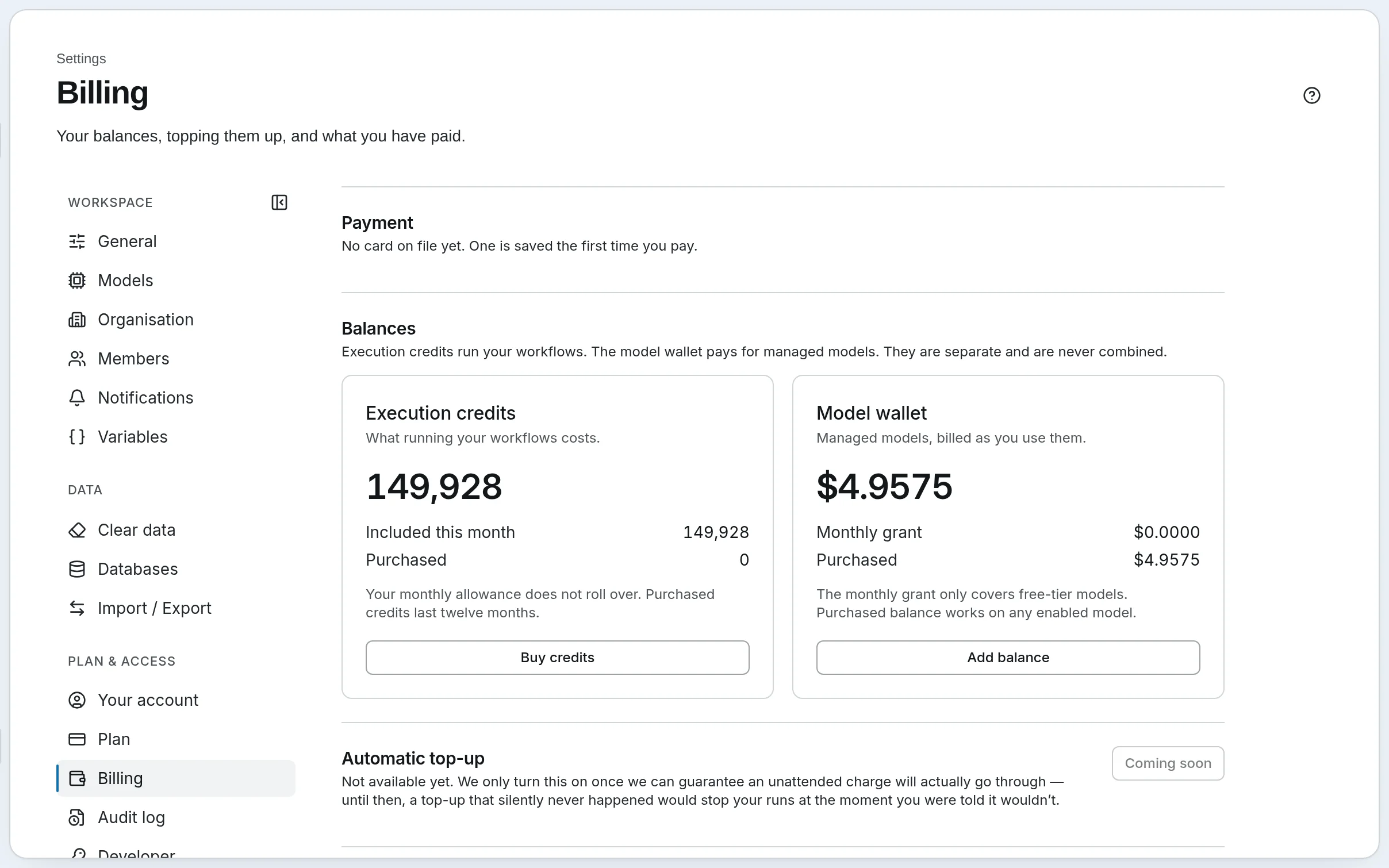
A workspace on SynapseOrch Cloud has two balances, kept apart and never combined:
| Balance | Pays for | Comes from |
|---|---|---|
| Execution credits | Running workflows: each step a run takes | Your plan, each month; and credits you buy |
| Model wallet | SynapseOrch's own models: tokens, plus searches and scanned pages for Knowledge | Dollars you add, and a $2 monthly model allowance on every plan |
A model on your own provider key costs the wallet nothing: the provider bills you, and SynapseOrch charges only the execution credits. Neither balance ever goes below zero, and nothing is billed past what you chose.
What a run costs
Credits price each step by its type:
| Steps | Credits each |
|---|---|
| Agent, LLM, Evaluator, Extract JSON, Tool | 1 |
| Transform, If / Else, Switch, Loop, Parallel, Merge, Print, End, Retrieve, Ingest | 0.1 |
| Human | 0 |
A run costs its steps added up, or one credit per started minute of working time if that is more, and at least one credit. Harbor & Pine's Invoice triage — a Transform, an If / Else, a Human step and an LLM step — costs 1.2 credits, however long the approval takes: time waiting for a person, or in line for a slot, is never charged.
The wallet pays for tokens at each model's price, as the run uses them. Harbor & Pine's runs on Nova Micro and Nova Lite cost fractions of a cent each.
Every run's page shows its Model cost, and Runs › Usage shows both balances with what each run and chat spent. See Runs and what they cost.
Choose a plan
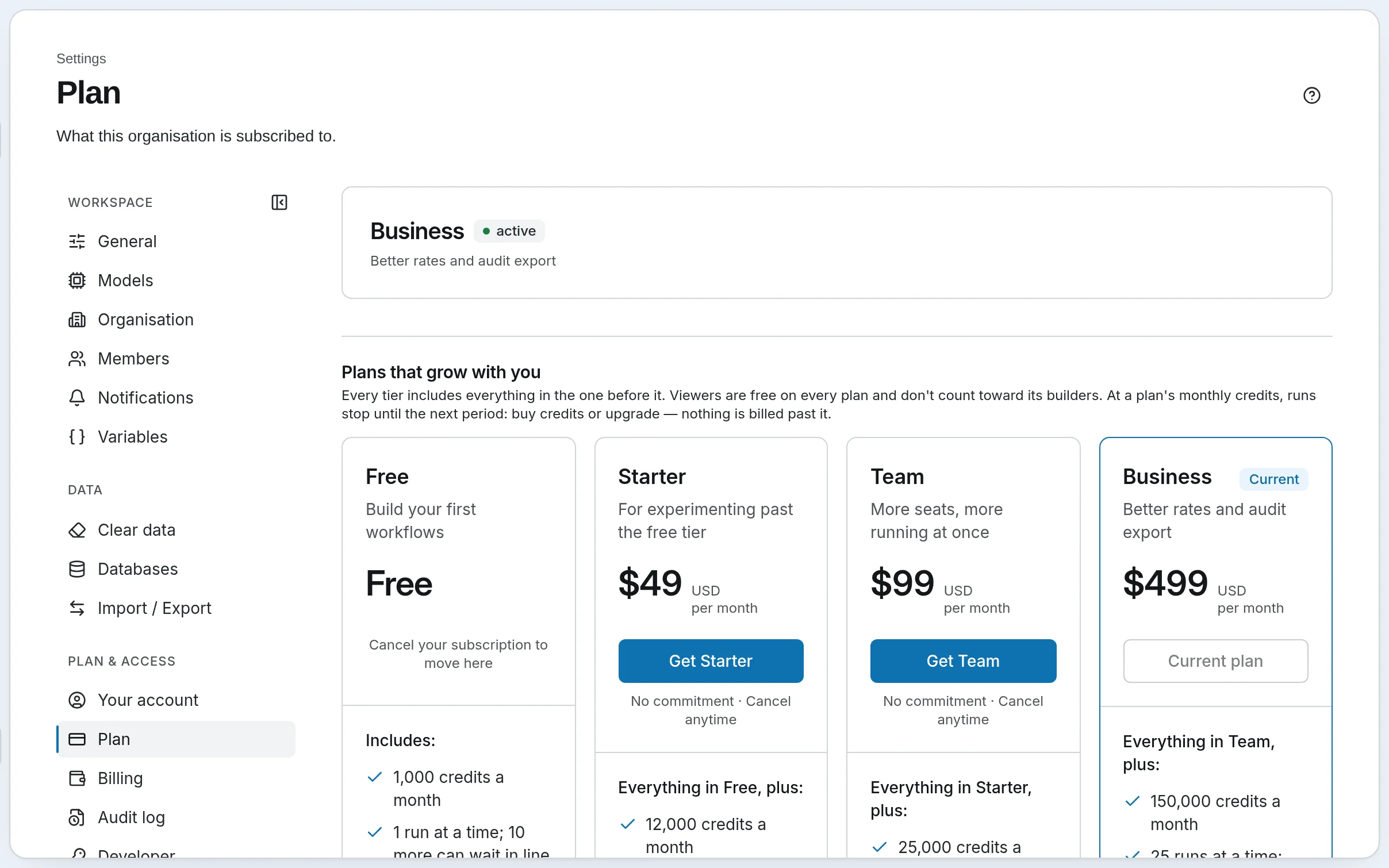
| Free | Solo | Team | Growth | Business | |
|---|---|---|---|---|---|
| A month | $0 | $19 | $99 | $199 | $499 |
| Credits included | 1,000 | 5,000 | 25,000 | 50,000 | 150,000 |
| Runs at once | 1 | 2 | 8 | 12 | 25 |
| Longest run | 30 min | 1 hr | 2 hr | 4 hr | 6 hr |
| People who build | Up to 2 | 1 included, up to 3 | 5 included, up to 25 | 10 included, up to 50 | 15 included, up to 100 |
Viewers and approvers are free and unlimited on every plan. The Plans and Credits page has the rest: limits on agents, workflows and Vault storage, what each plan adds — the website widget from Solo, sandboxed Python tools from Team, the audit log export on Business — and Custom plans. Paid yearly, a plan costs ten times its monthly price.
To change plan, an owner or admin opens Settings → Plan and presses Get … to subscribe, or Switch to … to see the charge before it is made. Cancel subscription keeps the plan until it renews, then moves to Free.
At the limit
Every plan stops at its credits rather than billing you. Warnings arrive when 50%, 25% and 10% of the month's credits are left. When they run out, runs stop until the next month, or until you:
- buy credits, on a paid plan — Settings → Billing → Buy Credits. Purchased credits last twelve months; the monthly allowance does not roll over.
- move to a bigger plan, under Settings → Plan.
The wallet stops at zero too. A run that needed a SynapseOrch model says This run stopped because the model wallet ran out., with Add balance. Top up under Settings → Billing → Add Balance; there is no automatic top-up yet, so watch the balance.
Owners and admins buy credits and add balance. Billing also lists the Credit history, each Model spend charge on its own line, and, for owners and admins, Invoices.
The monthly model allowance
Every plan, Free included, comes with a $2.00 monthly model allowance of SynapseOrch models, so you can try them without a card. It pays for any model offered, before your balance, and does not roll over. A balance you buy works on any model too.
Keep an eye on it
- The plan card at the foot of the menu shows the month's credits used, at a glance.
- Home shows this month's model spend and what caching saved.
- Runs › Usage breaks spend down by model, run and chat.
- A knowledge base can have a monthly budget; past it, its searches fall back to words only and its new documents wait. See Costs and Budgets.
Go further
- Plans and Credits — every plan, what a credit is, run lengths, capacity, fair use
- Models and the Wallet — SynapseOrch's models, your own keys, and mixing them
Members and roles
Bring your team into the workspace, give each person the role they need, and see who did what: roles, seats, sessions, notifications and the audit log.
The public API
Start a workflow from your own code, follow it to the end, answer it when it stops for a person, and be called back when it finishes — with worked examples.