Adding documents
Every way into a knowledge base — uploads, web pages, records from your own systems, files a workflow writes — then following each document until it is searchable.
A knowledge base follows its Vault folder: whatever lands in the folder is read and indexed by itself, and whatever leaves it leaves the index. There are four ways in, and Harbor & Pine uses all of them:
| Way in | Right for | Harbor & Pine |
|---|---|---|
| Upload files | Documents you have: PDFs, Word, Excel and PowerPoint files, Markdown, text | The two FTC guides in Compliance guides |
| Add web pages | Public pages that change, fetched again every 7 days | The FTC's Mail Order Rule page |
| Records through the API | Rows from your own systems — tickets, products, invoices — sent as text or JSON | Every supplier, invoice and policy in Suppliers & invoices |
| An Ingest step in a workflow | Results a workflow produces | Each order Log new orders classifies, filed in Order log |
Upload files
Open the base and press Upload files, or drop files on the dashed area. A large file shows how far it has got, then joins the queue. Each one moves from Queued through Reading and Indexing to Indexed; while it works, its row says what it is doing and how long is left — Embedding · 1,152 of 2,000 passages · about 2 min left.
On SynapseOrch Cloud a base takes Markdown, text, JSON, CSV, PDF, Word, Excel and PowerPoint files and images, up to 100 MB and 2,000 pages each, and reads scanned pages and images with OCR. See Formats and Parsing.
A file saved into the folder any other way — on the Vault page, or by an agent's Vault tools — is indexed just the same.
Add web pages
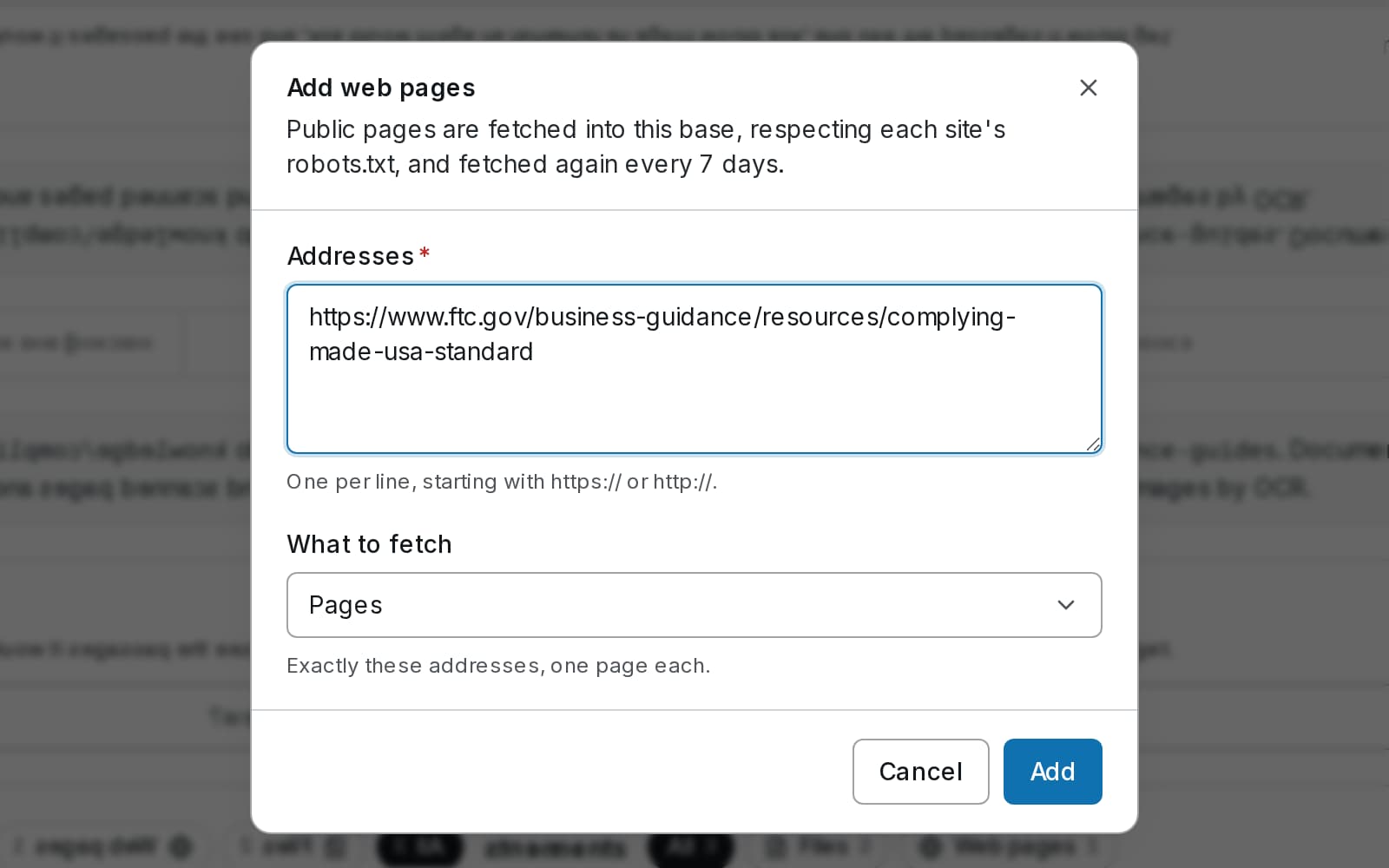
Enter the addresses
Press Add web pages and enter one address per line.
Choose what to fetch
Pages fetches exactly these addresses; Sitemaps fetches every page a sitemap.xml lists; Sites starts at each address and follows its links, on the same site and under the same folder, as far as How far to follow links allows. Most pages caps a sitemap or a site.
Follow the crawl
Each address becomes a source under Web sources, with its last fetch: 1 page · fetched 10/4/2026 · 1 new or changed. Every page becomes a Markdown file in the base's _web folder. Sources are fetched again every 7 days, and a page that has not changed is left alone.
Synapse fetches as SynapseBot, respects each site's robots.txt, and asks a site for one page at a time. A page built by JavaScript after it loads is fetched as the server sent it, without that content. See Web pages.
Send records from your own systems
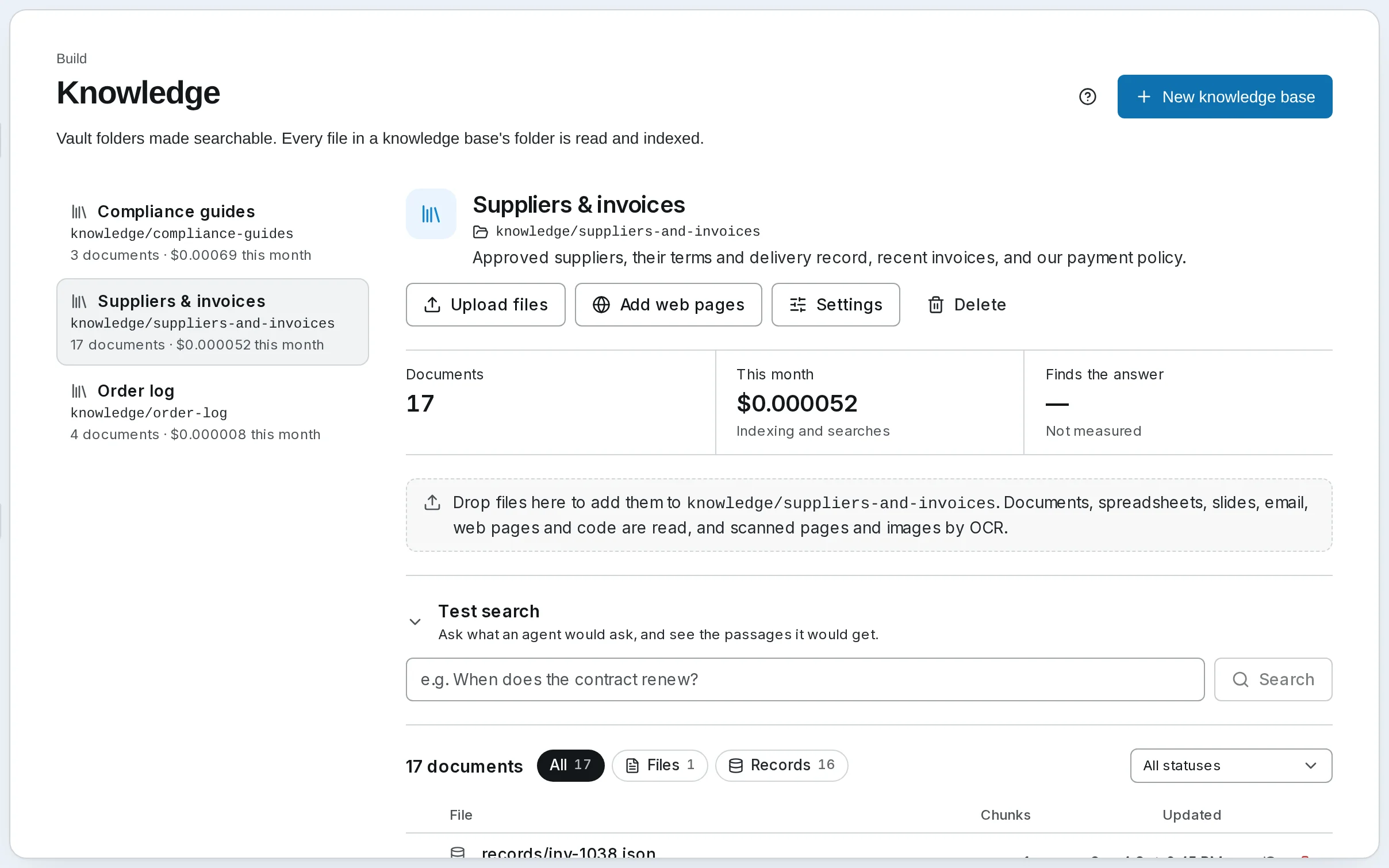
A record is a piece of text, or a JSON object, that you send rather than upload: a support ticket, a product, an invoice. Harbor & Pine's supplier records are sent from its accounts system with an API key:
curl -X POST https://api.synapseorch.com/api/v1/knowledge/bases/kb_…/records \
  -H "Authorization: Bearer sk-syn-..." -H "Content-Type: application/json" \
  -d '{"records": [
        {"id": "inv-1039", "title": "Invoice INV-1039",
         "text": "Invoice INV-1039 from Copperleaf Textiles for $1,560.00, status disputed. Billed 120 aprons at $13.00; 100 received.",
         "metadata": {"kind": "invoice", "supplier": "Copperleaf Textiles", "status": "disputed"}}
]}'- Give every record an
id. Sending the same id again replaces the record, so the base never holds two versions of one invoice. Without one, each send makes a new record. - Metadata is fields of your own, which a search, a Retrieve step or an agent can filter on: only invoices, only one supplier.
- Up to 100 records go in one request. Each is kept as
_records/<id>.jsonin the folder and indexed like any document.
The base's id, kb_…, comes back when you list the bases through the Knowledge API.
File results from a workflow
An Ingest step writes a list from the run's state into a base as records. Harbor & Pine's Log new orders classifies each order in the storefront's export, builds a record for it, and ends with Save to Order log, an Ingest step that names the record's id, text and metadata fields. Run it twice on the same export and the Order log still holds each order once. See Ingest.
When a document is not indexed
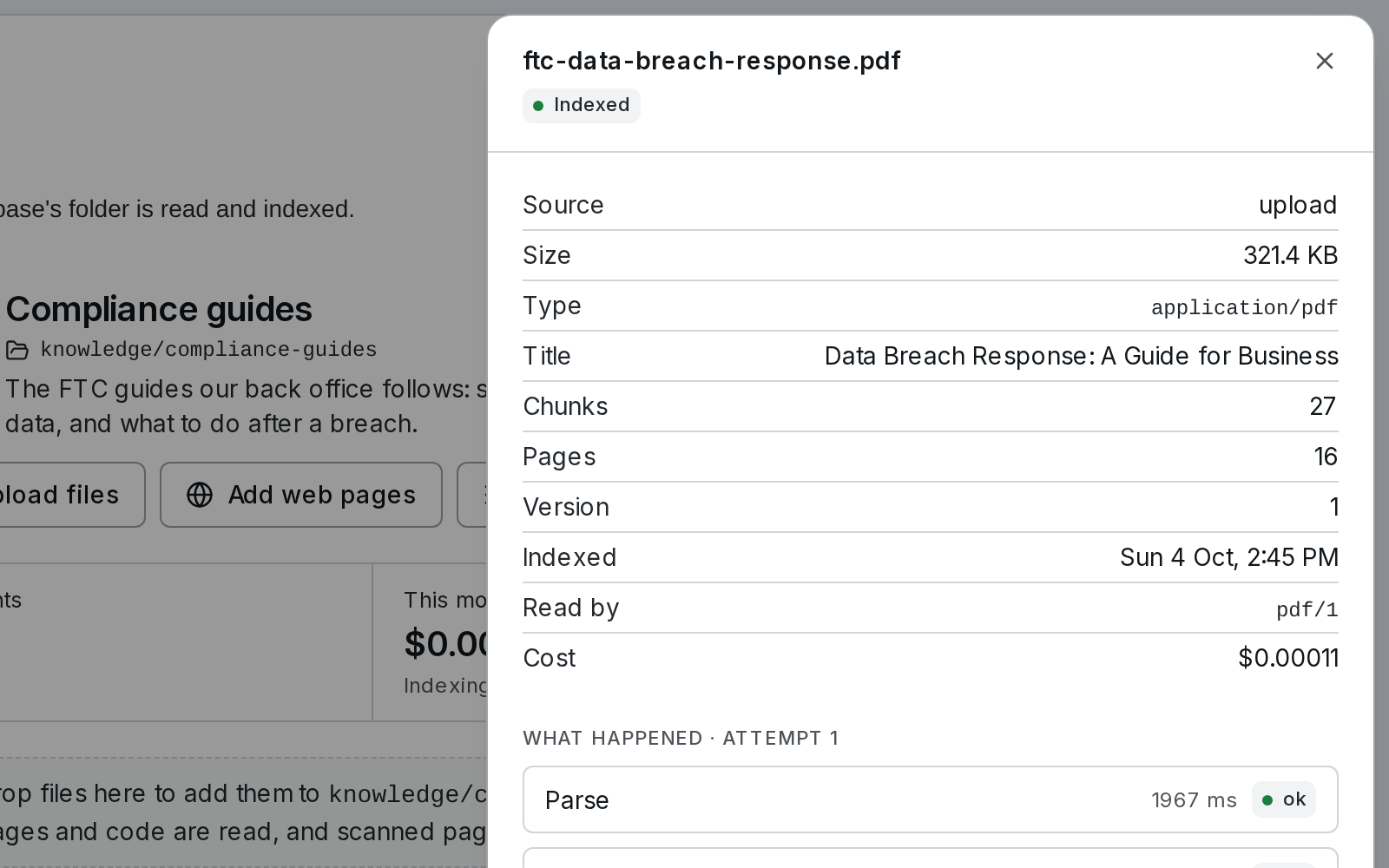
A document that is not plainly Indexed says why beside its name: Encrypted, Some pages have no text layer, Monthly budget reached. Click its name for its report: where it came from, how it was read, how many passages it became, what it cost, and each stage of the last attempt with its time and outcome. Retry reads it again; it is off when a retry cannot help, such as for a password-protected file.
A document Paused is waiting on money — the base's monthly budget, or an empty model wallet — and goes on by itself once that changes. See Document status.
Self-hosted
The same four ways in. A self-hosted install has no OCR, so scanned pages and images are not read, and it reads more formats with the optional knowledge extra and LibreOffice. There are no Knowledge webhooks: poll a document's status. See Formats and Parsing.
Go further
- Adding Documents — uploads, records, metadata, crawls and their limits
- Knowledge API — bases, uploads, records, web pages and search from your own code
- Webhooks — hear when a document is indexed, on SynapseOrch Cloud
Next: what happens inside a search, and how to check an answer's citations.
Knowledge bases
Make a folder of documents searchable, check what a search finds, and have an agent answer from it with the passage it came from.
Search and citations
Follow one question through a knowledge base search — words and meaning, fusion, rerank, the cut — read its trace, narrow it with a filter, and check the citations an answer carries.