Ingest from a workflow
Have a workflow file what it produces in a knowledge base, with an Ingest step: shape the records, name their ids so a re-run replaces rather than repeats, carry metadata to search by, and know when they become searchable.
A knowledge base can be filled by your workflows as well as by uploads. An Ingest step takes a list from the run's state and adds each object to a base as a record: no model call, no file to write. Whatever a workflow works out — classified orders, summarised tickets, extracted invoice lines — becomes something an agent or a Retrieve step can search, with metadata to filter on.
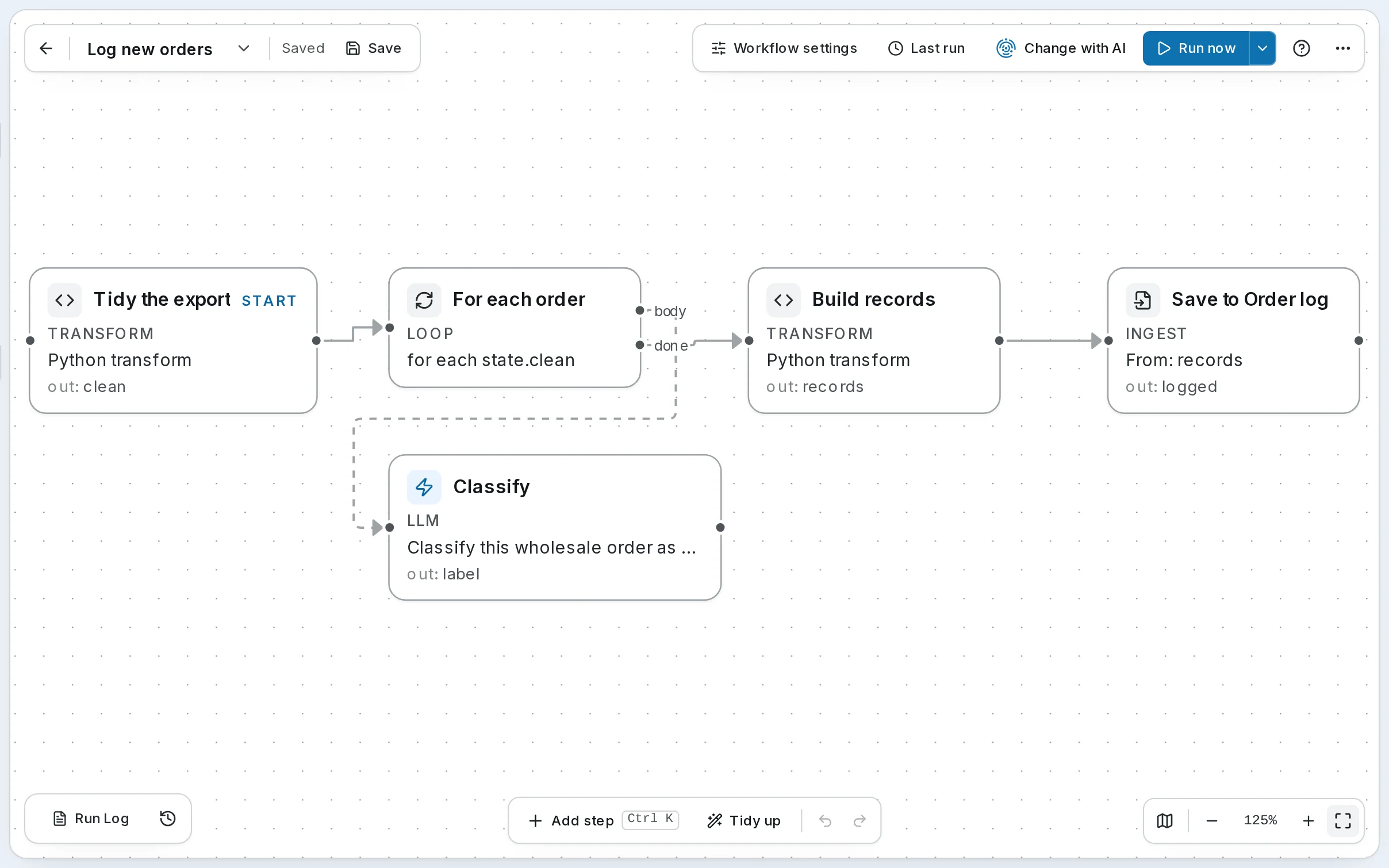
Harbor & Pine's Log new orders files every wholesale order this way. It tidies the storefront's export, has a model classify each order, builds one record per order, and saves them to the Order log base, where the Order desk can look up what a stockist ordered and how it was classed.
1. Shape the records
An Ingest step files a list of objects. Every step before it exists to make that list:
| Step | Type | Writes | What it does |
|---|---|---|---|
| Tidy the export | Transform | clean | One row per order: its id, the customer's name trimmed, the total, the items as text, the notes |
| For each order | Loop | Runs Classify once per row of clean, up to 20 | |
| Classify | LLM | label | restock, new-account, seasonal or rush, in one word |
| Build records | Transform | records | Each order with its category and a summary sentence to index |
| Save to Order log | Ingest | logged | Files records in Order log |
A Loop collects its body's results as a list — {"iteration": 1, …, "result": …} per pass — which is how Build records pairs each label with its order. The summary is what a search will match, so it is written as a sentence a person would search for:
Order HP-20482 from Juniper & Rye: 6 x CV-SHELF-OAK ($891.00). First order from a new stockist; prepaid.On SynapseOrch Cloud, a Transform step needs a plan that includes code execution. An Extract JSON step, or a tool or HTTP call that returns a list, can make the list instead.
2. Configure the Ingest step
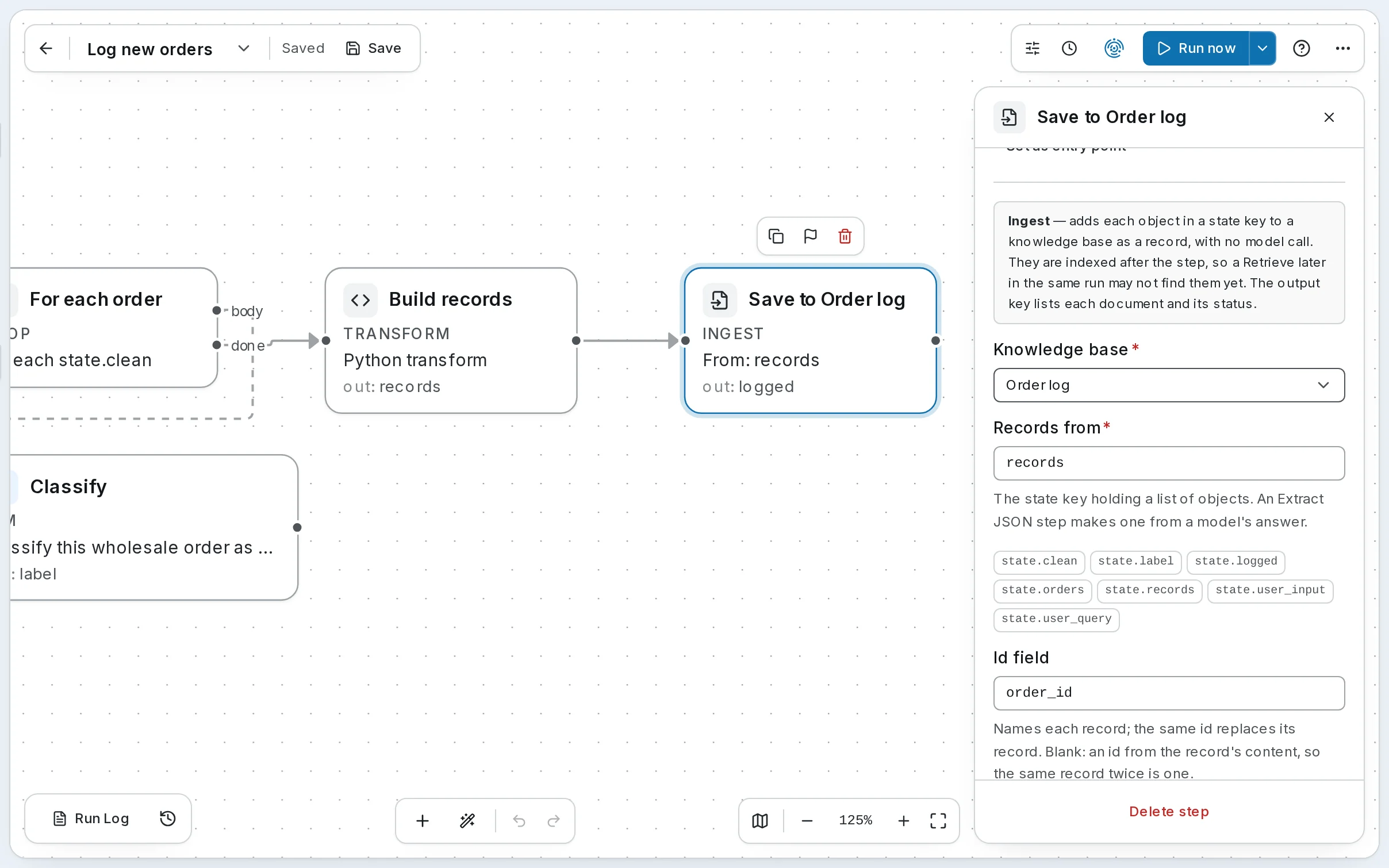
Select Save to Order log. Ingest is in Add step's Data group while Knowledge is on.
| Field | Save to Order log | |
|---|---|---|
| Knowledge base | Order log | Where the records go |
| Records from | records | The state key holding the list |
| Id field | order_id | Names each record. The same id replaces its record |
| Text field | summary | What is indexed. Blank indexes the whole object as JSON |
| Metadata fields | customer, category, total_usd | Copied into each record's metadata, to filter on |
Name the id. With order_id as the id, running Log new orders twice on the same export leaves each order in the Order log once, replaced rather than repeated. With Id field blank, an id is made from the record's content: the same record twice is still one, but an order whose notes changed becomes a second record.
Metadata keys are letters, digits and underscores, up to 64 characters; path, source, mime and indexed_at are the base's own. A record is kept as _records/<id>.json in the base's Vault folder and indexed like any document.
3. Run it, and know when it is searchable
Run the workflow
Run Log new orders with the storefront's export as its orders — from the canvas, a schedule, or the public API. Up to 1,000 records go in one step, all or nothing; split more with a Loop.
Read the Ingest row
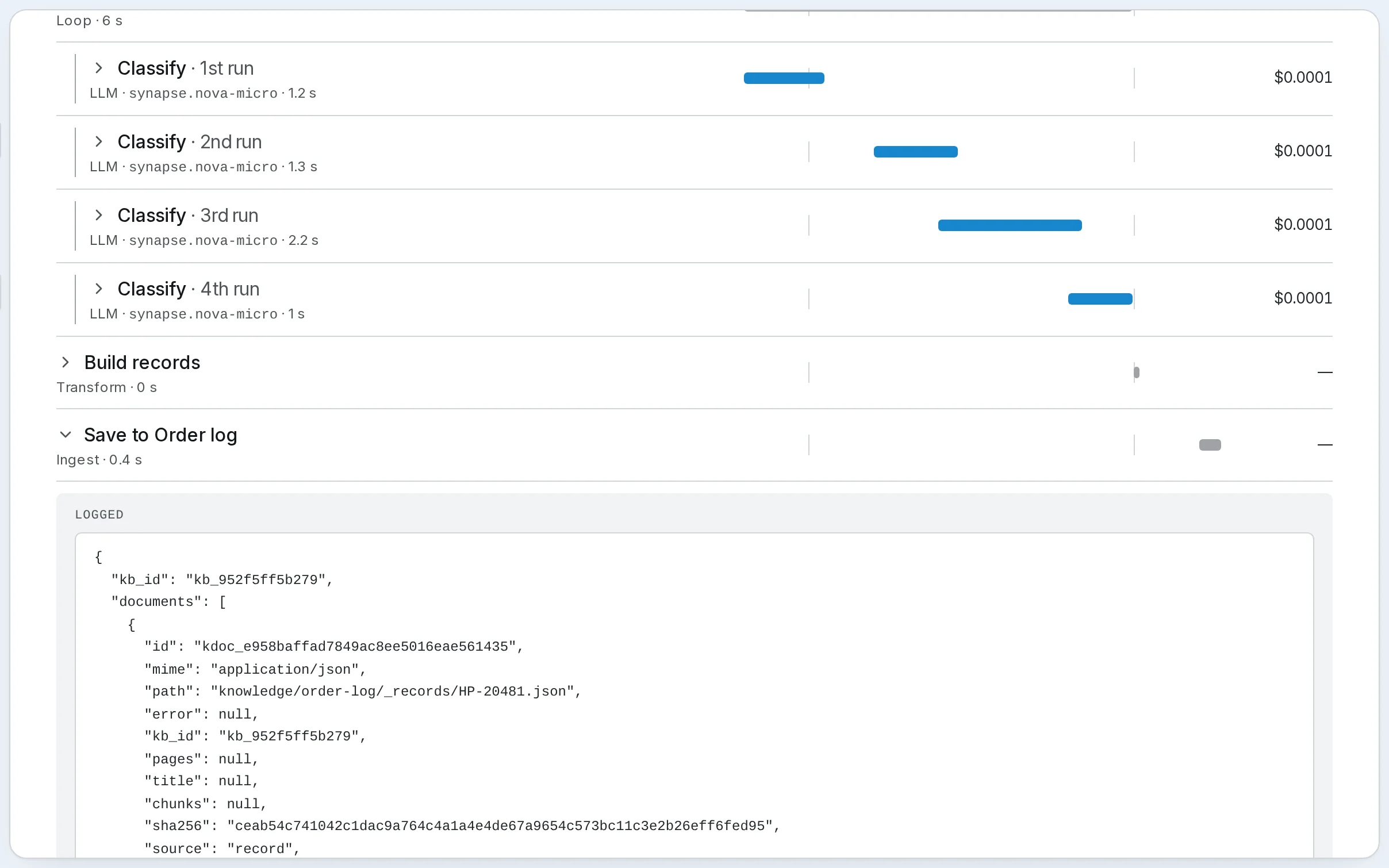
Open the run from Runs, then Save to Order log's row. Its output, logged, lists each document it filed — its path, _records/HP-20481.json, its metadata, and its status, queued. The step does not wait for indexing: records are indexed after it, so a Retrieve later in the same run may not find them yet.
See them in the base
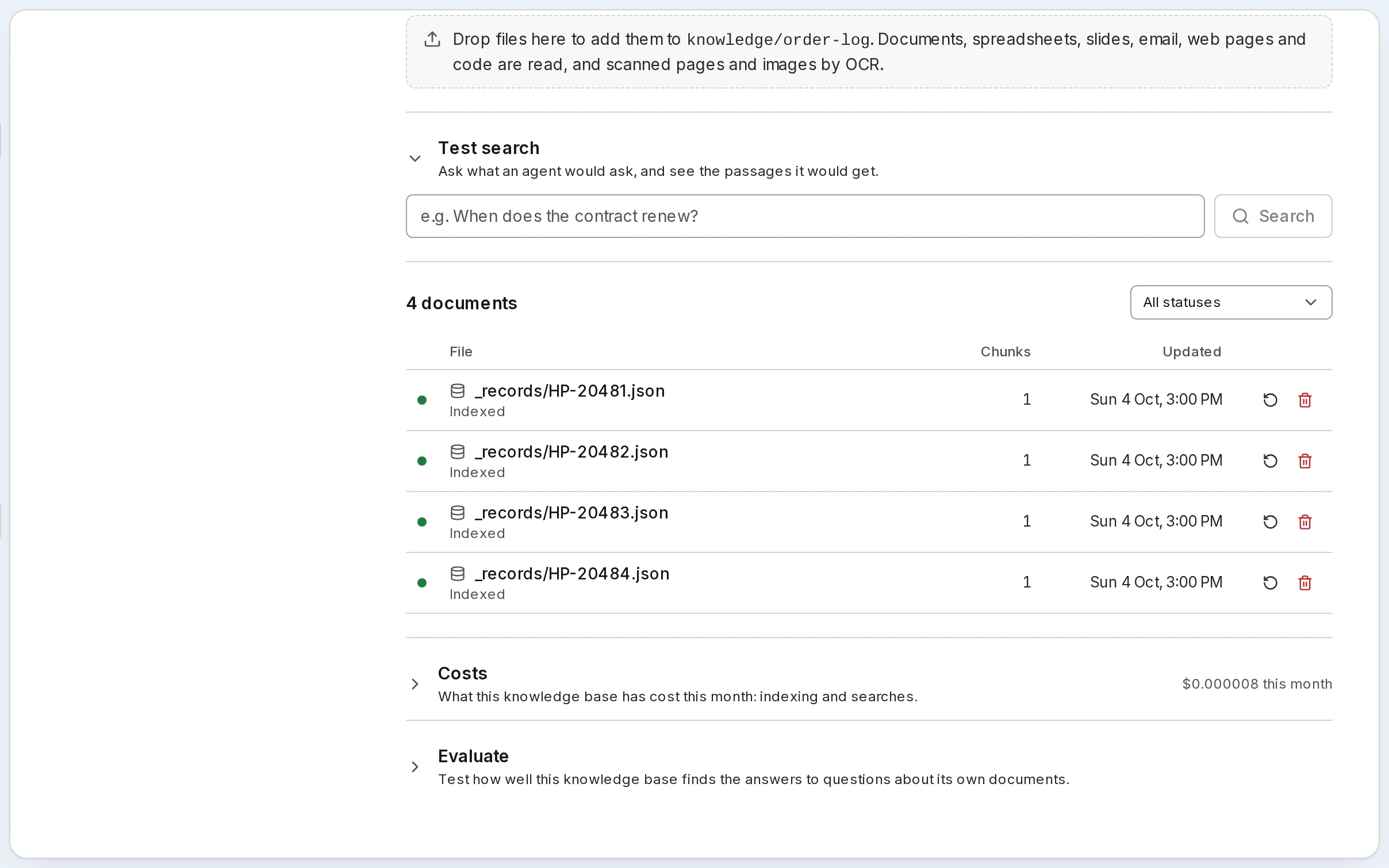
Open Knowledge → Order log: HP-20481 to HP-20484, each a record, each Indexed within moments. Indexing them is the base's spend, shown in its Costs, not the run's.
4. Search what was filed
The Order log is a base like any other. Give it to an agent, or search it from a step, and filter on the metadata the Ingest step carried:
{"category": "rush"}finds the rush orders only; {"total_usd": {"$gte": 1000}} the large ones. See Retrieve, then write and An agent that answers from a knowledge base.
On SynapseOrch Cloud, a webhook can tell your systems when each record is indexed.
Self-hosted
The same steps and fields, once Knowledge is on in Settings → General. An Ingest step has no credit price; indexing costs what your embedding provider bills.
Go further
- Step types → Ingest — every field and the output
- Step types → Loop — looping over a list, and what it collects
- Adding Documents → Records — records and metadata, from the API too
- Knowledge API → Records — the same records from your own code
Next: a support bot on your site.
Retrieve, then write
Search a knowledge base inside a workflow with a Retrieve step, hand the passages to an LLM step that writes from them, narrow the search with a filter, pin it to one version of the index, and read the run.
A support bot on your site
Put an agent that answers from your documents on your own website with one script tag, and decide exactly what strangers can make it do.