Agents and skills
Make an agent: its model, its instructions and the tools it may use. Then give it a skill, a set of instructions it loads only when a task needs them.
An agent is a model with a system prompt and a set of tools. Given a task, it decides its own next step — search, call a tool, read the result, try again — until it has an answer or reaches its turn limit. You talk to an agent in Chat, and a workflow's Agent step hands it one part of a job.
This guide makes the kind of agent Harbor & Pine's Order desk is: one that answers stockists' questions from the company's records and says where each answer came from.
Make an agent
Name it and say what it does
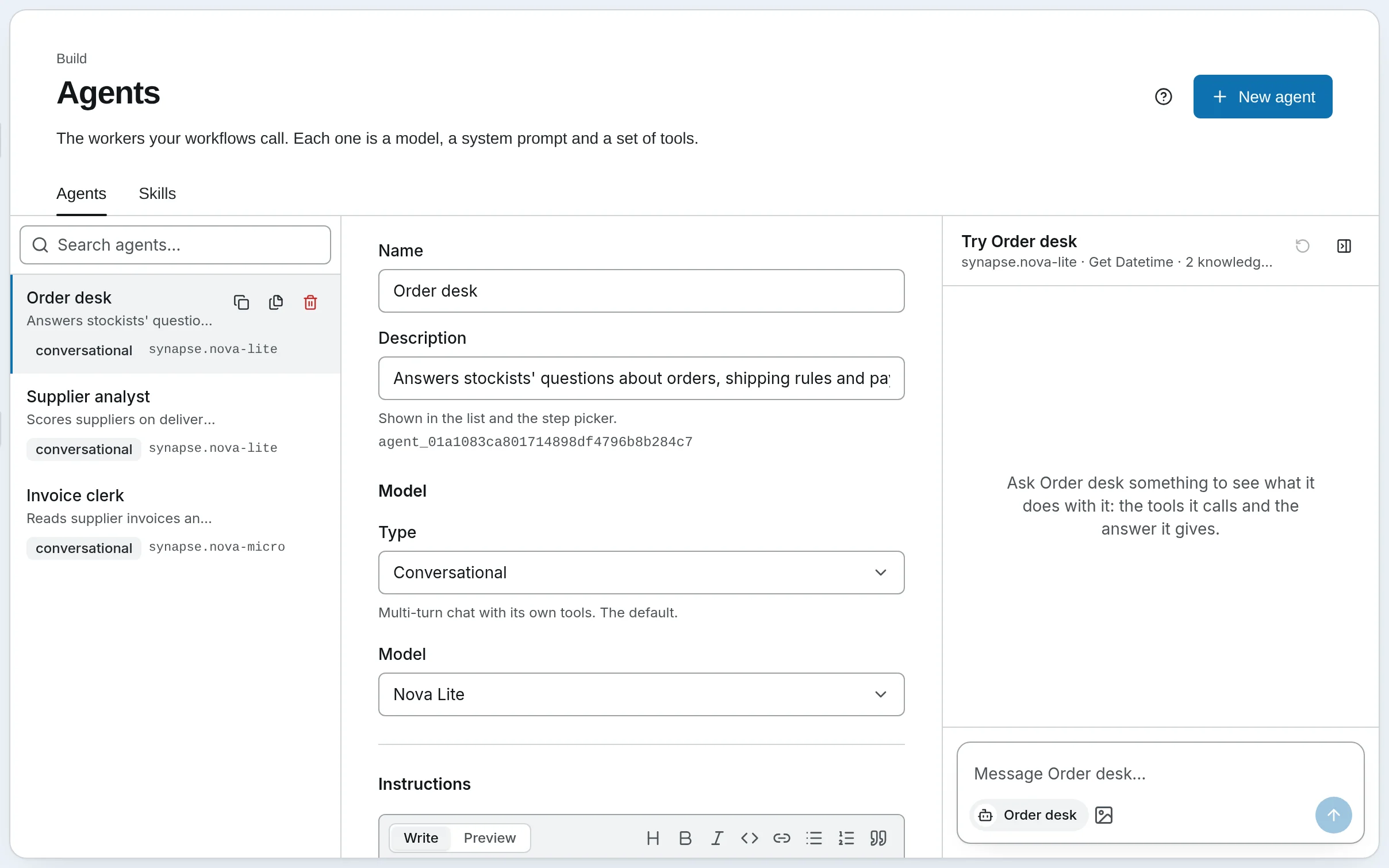
Open Agents and press New agent. Fill in its Name and a one-line Description. The description is shown in the list and when a workflow's Agent step picks an agent, so write it for the person choosing an agent: Answers stockists' questions about orders, shipping rules and payment terms, with citations.
Choose its type and model
Keep Type on Conversational, the everyday agent with its own tools; Agent Types covers the others. Under Model, leave the workspace default or choose one for this agent. A cheap model is right for routing and short answers; give a stronger one to an agent whose answers people rely on. The Order desk runs on Nova Lite.
Choose its tools
Every tool gives it everything the workspace has except the SQL tools; Choose specific tools lets you tick exactly what it may call. Narrow is better: an agent offered fewer tools picks the right one more often, and cannot call what it was never given. The Order desk needs only get_datetime and its knowledge bases.
Leave Planning on for agents that take several steps: the agent keeps a task list as it works, shown live in chat and in the run log. Turn it off for one-shot agents.
Decide what needs a yes
Under Tool policy, the agent follows the workspace's tool policy unless you choose otherwise here: Allow, Ask first or Block for each kind of tool — tools that change data permanently, tools that reach outside this workspace, and tools that don't say what they do, which is most of them.
Give it knowledge, skills and memory, if it needs them
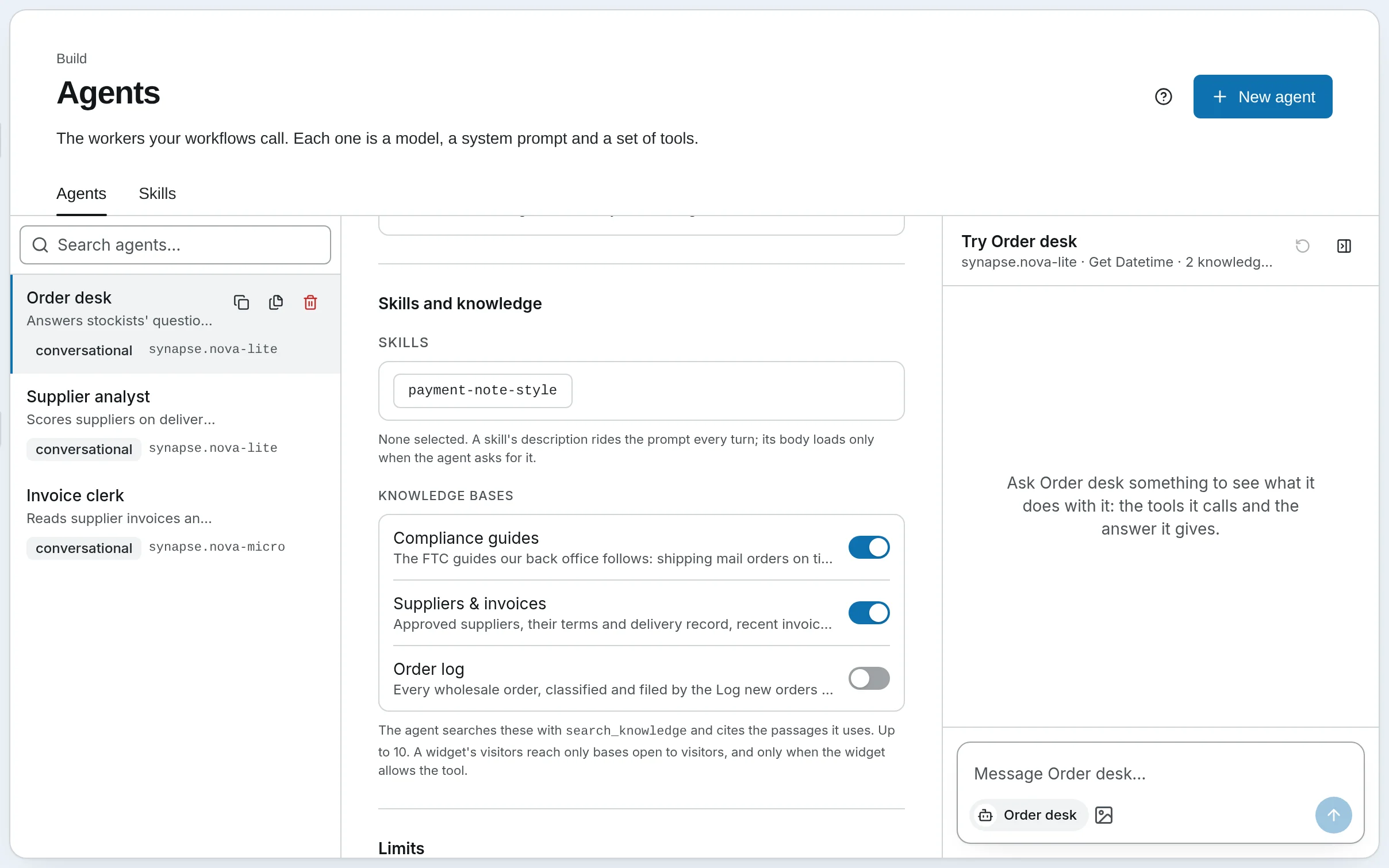
- Knowledge bases — tick the bases it should answer from, up to 10. It searches them with
search_knowledgeand cites each passage it uses. The Order desk answers from Compliance guides and Suppliers & invoices. - Skills — instructions it loads when a task calls for them (below).
- Channels — the Telegram bots it answers on (and Slack or Discord, self-hosted), once you connect one.
- Memory — off by default. On, it can save facts with
rememberand search past sessions. See Memory.
Write its system prompt
Set a Turn limit — how many turns it may take on one request; a simple agent rarely needs more than a handful — and write the System prompt: who it is, what it answers from, and how it answers. Check it under Preview. Type @ to put a Vault file in the prompt as @[path], read fresh each time the agent runs, and {{ for a variable. The Order desk's:
You are the order desk at Harbor & Pine Supply, a wholesale supplier of shop fittings and
packaging to independent stockists. Answer from the compliance guides and our supplier and
policy records, cite the passages you used, and say plainly when they do not cover the
question. Keep answers short and practical. Search the knowledge bases, then answer; do not
describe what you are about to do.
Say what it should do when it does not know. An agent told to say so says so; one that is not told guesses.
Give it a skill
A skill is a named set of instructions for one kind of task. An agent carries every skill's one-line description in its prompt, and reads a skill's full instructions only when a task calls for it, so ten skills cost ten lines until one is needed. Use a skill for instructions several agents share, or ones too long to carry on every turn.
Write it
Open Agents › Skills and press New skill — or Paste a SKILL.md and Read it to fill the form from a file. Give it a lower-case Name with hyphens and a Description that says when it applies; the agent decides from that line alone whether to load it. Harbor & Pine's:
- Name:
payment-note-style - Description: How Harbor & Pine writes payment notes for the ledger: who, what, approved by whom, and terms.
- Instructions: Write two sentences. The first names the invoice, the supplier and the amount. The second says whether it is approved, by whom, and the payment terms. Never include bank details.
Press Create skill.
Give it to the agent
Open the agent, pick the skill under Skills and knowledge and press Save. The next time a task matches the description, the agent loads the instructions and follows them.
Self-hosted
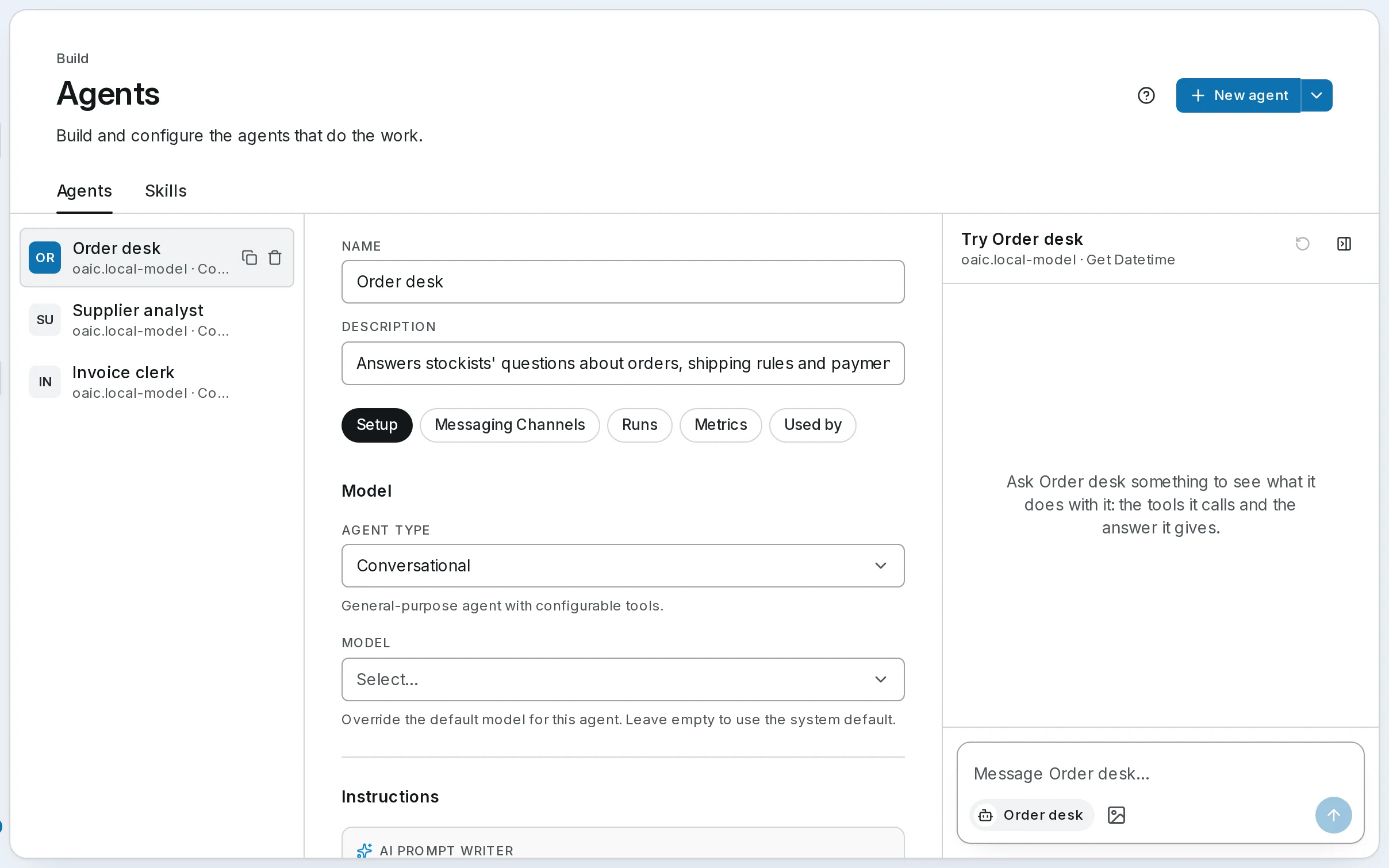
Press New agent for a new one, or the arrow beside it and Build Agent with AI… to describe one and have it built. Set its name and description at the top, its model and instructions on Setup, and tick its tools under Tools, then press Save in the bar at the foot. Runs, Metrics and Used by show what it ran, what it cost, and which workflows and schedules use it.
Go further
- Creating Agents — every field in the editor
- System Prompts — what goes into the prompt, and in what order
- Skills — the
SKILL.mdformat, and where skills come from - Thinking and Reasoning Effort — reasoning and the response cap
Next: give the agent tools of your own.