Retrieve, then write
Search a knowledge base inside a workflow with a Retrieve step, hand the passages to an LLM step that writes from them, narrow the search with a filter, pin it to one version of the index, and read the run.
Not every answer needs an agent. When a workflow needs the same kind of passages every run, a Retrieve step searches for them — no model call, the same query, the same result shape — and an LLM step writes from them in one call. It is the cheapest and most predictable way to use a knowledge base in a workflow.
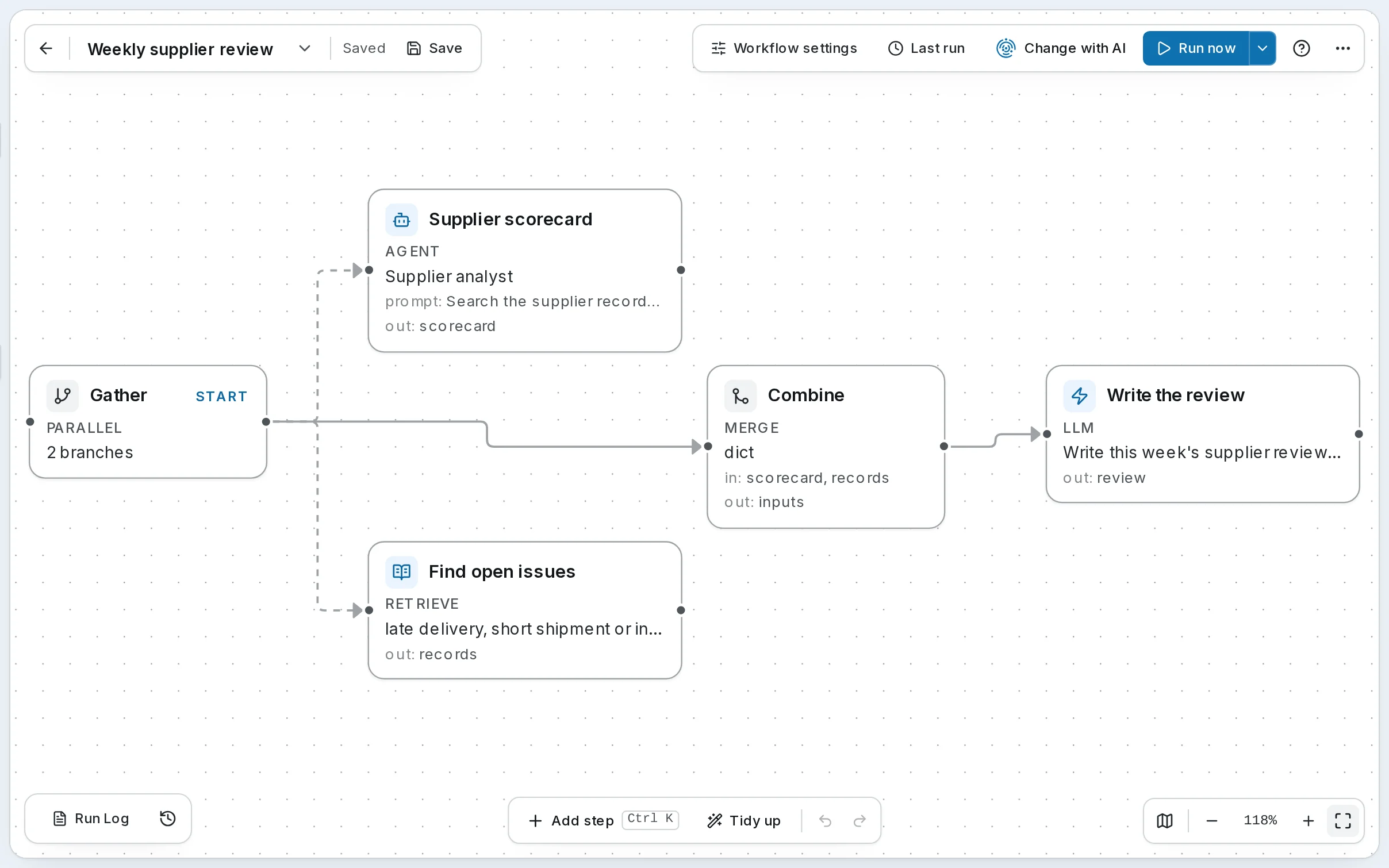
Harbor & Pine's Weekly supplier review works this way every Monday. Beside an agent that scores each supplier, Find open issues searches Suppliers & invoices for late deliveries, short shipments and disputes, and Write the review writes the operations team's summary from both, citing the records it used. Build your first workflow builds the simplest version, Answer a customer question; this recipe goes further.
1. Search for what every run needs
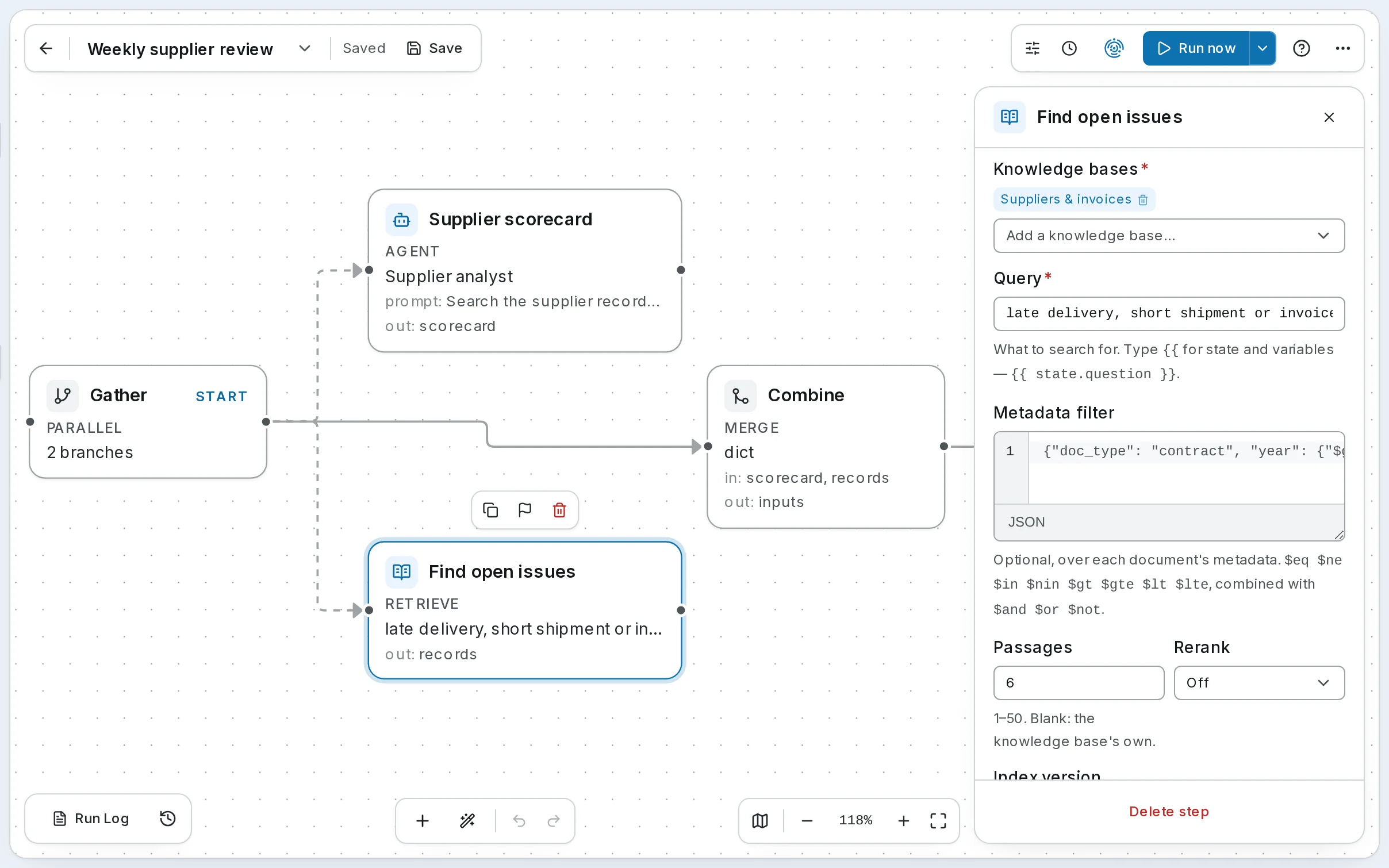
Open Workflows, choose Weekly supplier review, and select Find open issues. A Retrieve step is in Add step's Data group while Knowledge is on.
| Field | Find open issues | |
|---|---|---|
| Knowledge bases | Suppliers & invoices | Up to 10 |
| Query | late delivery, short shipment or invoice dispute | Fixed here; {{ state.user_input }} or any state key makes it follow the run |
| Metadata filter | none — the example in the empty field is its placeholder | Narrows the search — below |
| Passages | 6 | 1–50; blank uses the bases' own |
| Rerank | Off | The base's default, on or off |
| Index version | blank | Blank searches the index as it is; a ksnap_… id pins it — below |
| Output key | records |
The output key holds context — the passages under their [K#] labels, fenced as untrusted content and ready for a prompt — and chunks, citations, snapshot_ids and trace_id for anything that wants them one by one.
2. Write from the passages
Select Write the review. An LLM step is one direct model call — no agent, no tools, no loop — and its prompt names the passages by state:
Write this week's supplier review for the operations team: a two-line summary, then
one bullet per supplier that needs attention, citing [K#].

Scorecard:
{{ state.scorecard }}

Records:
{{ state.records.context }}
{{ state.records.context }} puts the passages into the prompt with their labels, so the review can cite [K2] as an agent would. Asking for citations, and for a plain "not in the records" when they are missing, keeps the step honest; the passages arrive marked as untrusted, so nothing a record says is taken as an instruction.
Here the search runs beside an Agent step: Gather (Parallel) runs both, and Combine (Merge) joins scorecard and records into inputs before the write. A workflow that only answers from documents needs just the two steps, as Answer a customer question does.
3. Narrow it with a filter
The records carry metadata — each has a kind, and each invoice a supplier and a status — so a Retrieve step can search only some of them. To look only at invoices still open or disputed, set Metadata filter to:
{"kind": "invoice", "status": {"$in": ["open", "disputed"]}}The filter runs inside the index, so the step still gets its six passages, all of them invoices. A filter can use state too, to search only the supplier a run is about. See Filters for the operators.
4. Pin the index, when results must not move
A base's index changes when its documents or settings do; a rebuild can change what a search finds. When a workflow's output must stay comparable from run to run — an audit, an eval — set Index version to the version that answered in a run you trust (ksnap_…, in the run's trace). The step then searches that version alone. A replaced version is kept for a week; after that the step fails, naming it, until you clear or change it.
5. Read the run
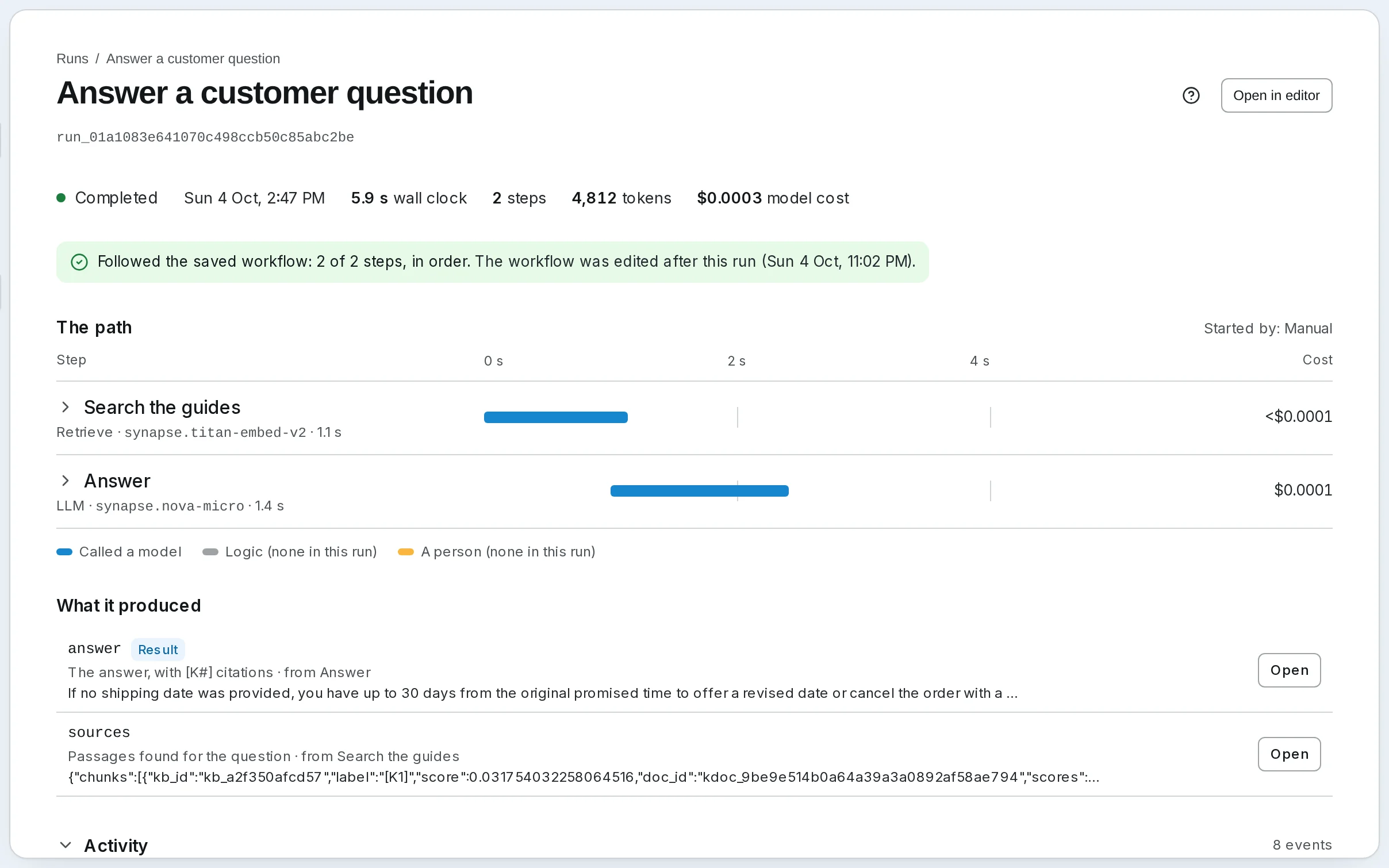
Open the run from Runs. A Retrieve step's row shows how many passages it found, what its search cost, and anything it did without — words only, say, at a base's budget. Opening it shows the search's trace and every passage, so a weak answer can be traced to a weak search. On SynapseOrch Cloud a Retrieve step costs 0.1 credit and an LLM step 1, so Answer a customer question costs 1.1 credits a run, plus its model and search in the wallet.
When it goes wrong
- Knowledge is switched off, so Retrieve step '…' cannot run. — Knowledge is off for the workspace; on a self-hosted install, turn it on in Settings → General.
- Retrieve step 'Find open issues': No active knowledge base 'kb_…' — the base was deleted or switched off. Pick another in Knowledge bases.
- A query over 2,000 characters is cut, with a warning in the run: search for the question, not the whole document.
Self-hosted
The same steps and fields, once Knowledge is on in Settings → General. A Retrieve step has no credit price; its search costs what your providers bill for embedding the query and any rerank.
Go further
- Step types → Retrieve — every field and the output shape
- Step types → LLM — prompts, models and caching
- Agents, Chat and Workflows — Retrieve and Ingest together
- Filters — the filter language
An agent that answers from a knowledge base
Give an agent the knowledge bases it should answer from, steer its searches with descriptions and its prompt, choose between an agent and a Retrieve step, and check that its answers cite what they rely on.
Ingest from a workflow
Have a workflow file what it produces in a knowledge base, with an Ingest step: shape the records, name their ids so a re-run replaces rather than repeats, carry metadata to search by, and know when they become searchable.