Knowledge bases
Make a folder of documents searchable, check what a search finds, and have an agent answer from it with the passage it came from.
A knowledge base is a Vault folder made searchable. Every document in the folder is read, cut into passages and indexed. When an agent or a workflow step searches the base, it gets back the few passages that match the question, answers from those, and cites each one as [K1], [K2]… so you can check where an answer came from.
When a document arrives — a file in the folder, a record sent through the API, or a fetched web page — it is read (text, tables and, on Cloud, scanned pages), cut into passages, and indexed two ways: by meaning, and by the words it contains. When an agent, a Retrieve step or the widget asks a question, both indexes are searched, the best passages come back, and the model reads only those. The answer lists them under Sources.
A base, or a file in the prompt?
| Best for | Cost per turn | |
|---|---|---|
A file in the prompt (@[path]) | A short file needed on every turn — a style guide, a price list | The whole file, every turn |
| A knowledge base | Many documents, or long ones, of which a question needs a few passages | Only the passages a search returns |
Harbor & Pine keeps three: Compliance guides — two FTC guides and one FTC web page; Suppliers & invoices — a record for each supplier, invoice and payment policy; and Order log, which a workflow fills.
Make a base
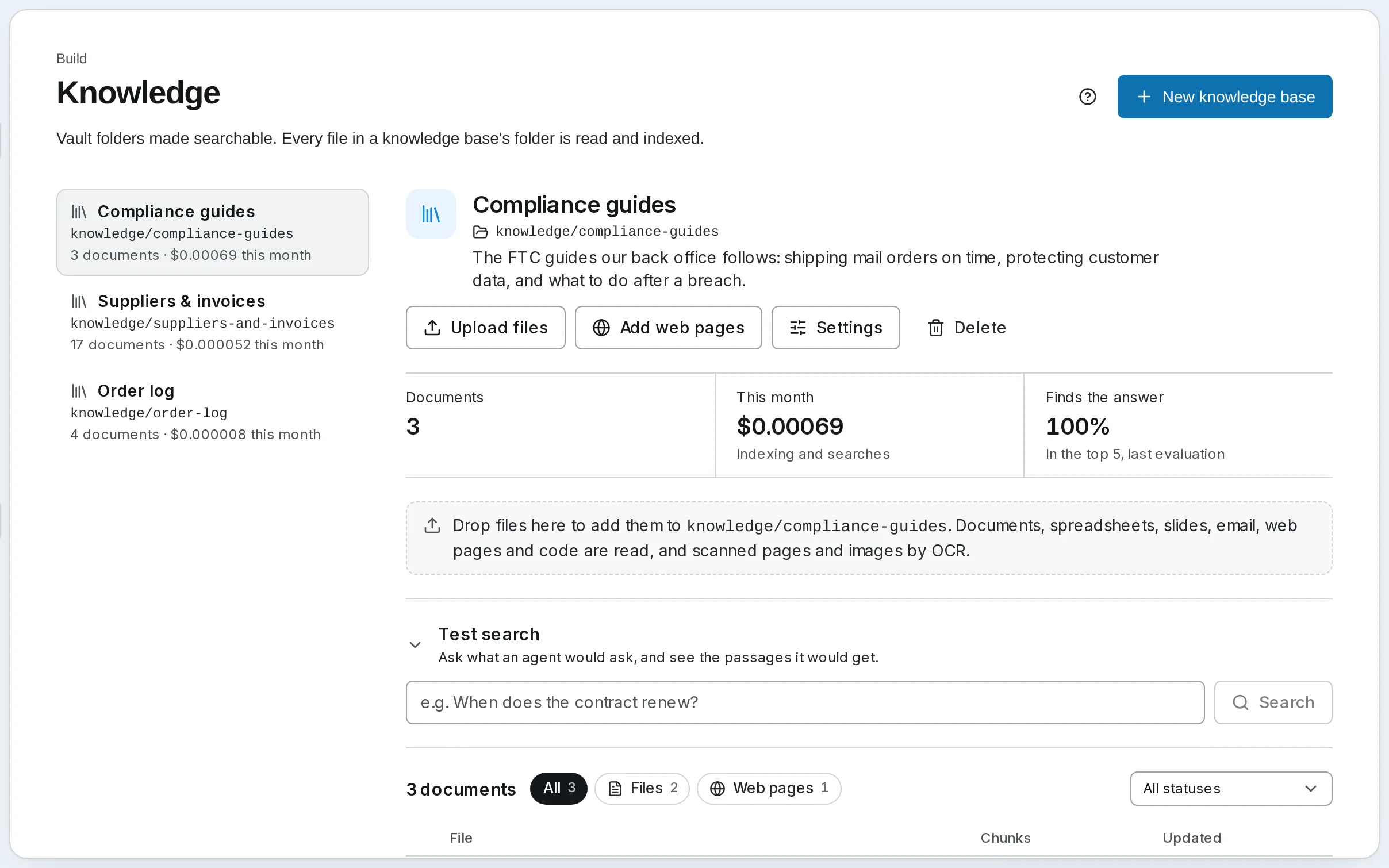
Name it and pick its folder
Open Knowledge and press New knowledge base. Give it a Name and pick a Vault folder, or type a new one — Harbor & Pine's is knowledge/compliance-guides. A folder belongs to one base only. Files already in it start indexing straight away.
Describe it
Write the Description for the agent, not for yourself: an agent sees the name and description of each base it may search, and chooses what to search by them. The FTC guides our back office follows: shipping mail orders on time, protecting customer data, and what to do after a breach.
Choose a preset
The Preset fills in the base's search settings; you can change every one later.
| Preset | Passages | Each search returns |
|---|---|---|
| Cheap | Large, about 600 tokens | 5 |
| Balanced | Section-sized, about 450 tokens | 8 |
| High recall | Small and overlapping, about 300 tokens, each read with its neighbours | 12 |
Start on Balanced. Press Create.
Add documents
Drop files on the dashed area or press Upload files; press Add web pages for pages, sitemaps or whole sites. Each document moves from Queued through Reading and Indexing to Indexed, with a bar and the time left while it works. Adding documents covers every way in, records and web pages included.
Check what it finds
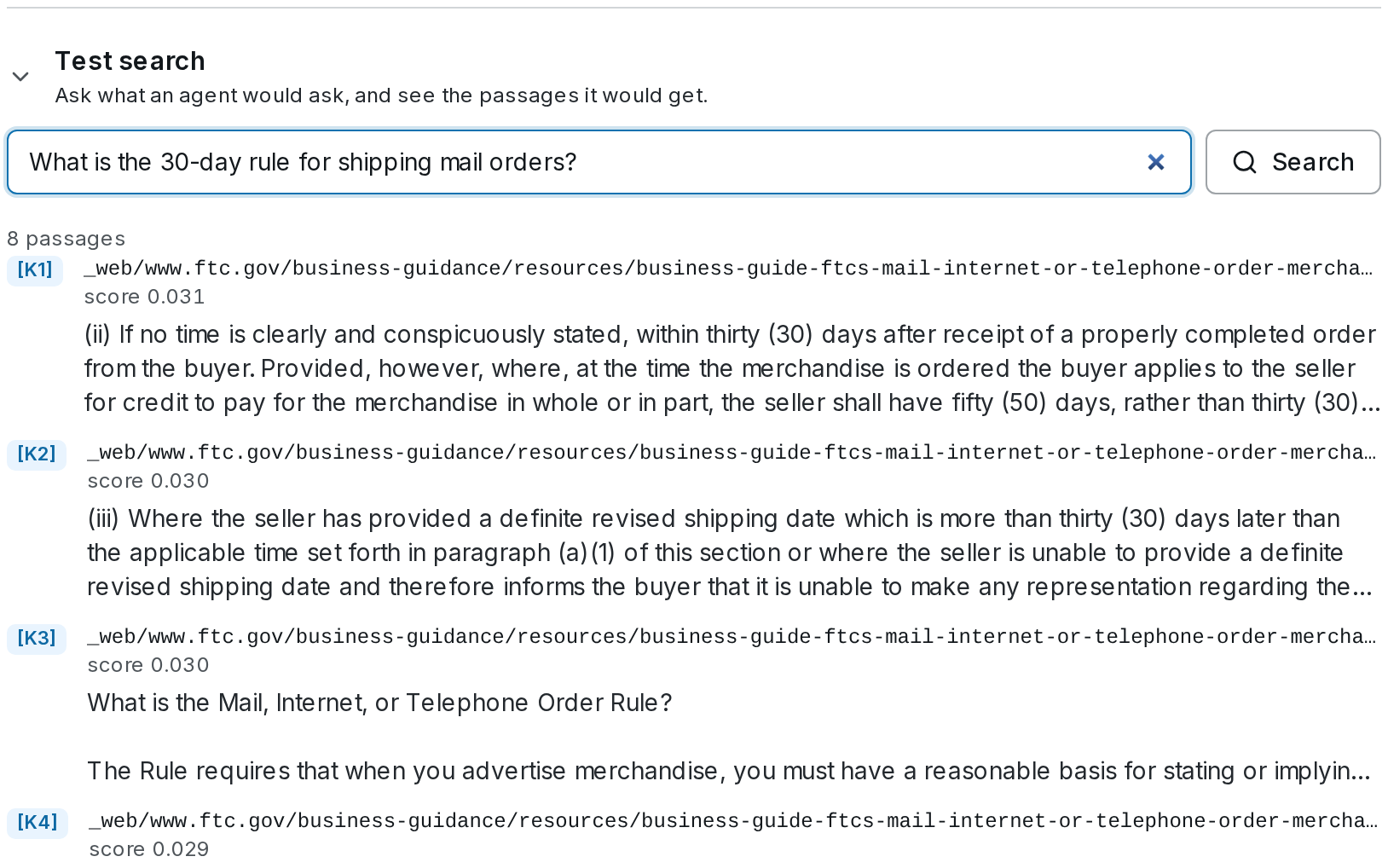
Before an agent relies on a base, ask it what the agent will be asked. Use Test search, under the base's numbers, above its documents: type the question and press Search: the passages an agent would get come back with their labels, their documents and their scores.
If the right passage is not there, the answer will not be either. Try the question the way a customer would word it, then look at the base's Settings: more passages per search, a reranker, or smaller passages for documents that cover many topics on one page. See Search and Settings.
Answer from it
A base answers nothing on its own; something has to search it.
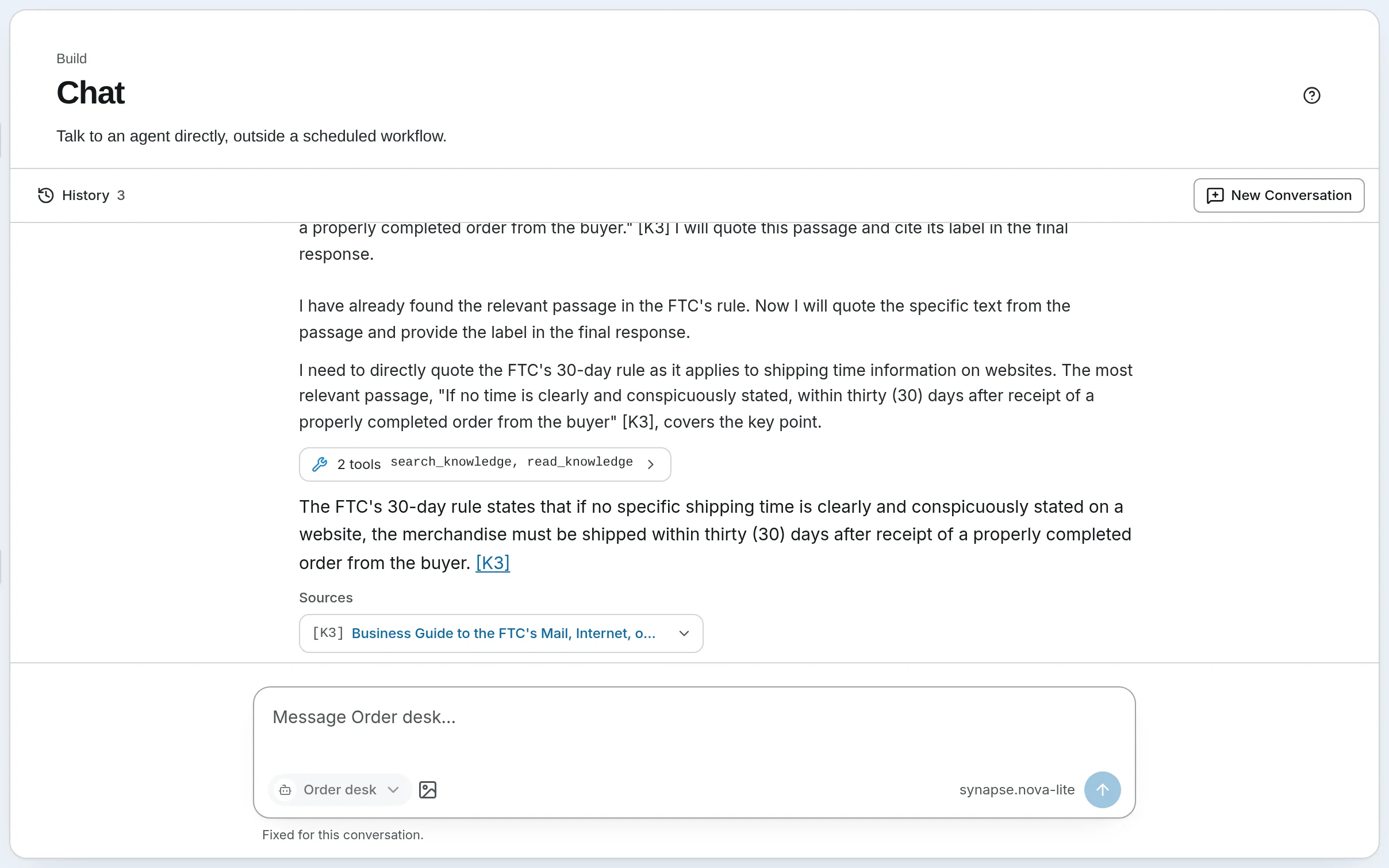
- An agent. In the agent's editor, tick the base under Knowledge bases. The agent searches it with
search_knowledgewhen a question calls for it, and lists what it used under Sources. See Agents and skills and Agents, Chat and Workflows. - A workflow. A Retrieve step searches one or more bases for a query you write, and puts the passages in state for the next step's prompt. See Build your first workflow.
- Your website. The widget's visitors can search a base that is open to visitors. See A support bot on your site.
What it costs
Reading a document is free. Indexing it — embedding its passages — is paid once, when it is added or changes; a search pays for embedding the question, and for a rerank when one is set. Both are small — Harbor & Pine's compliance guides cost well under a cent to index — and each base shows its spend this month beside its folder, with a breakdown under Costs and an optional monthly budget. See Costs and Budgets.
Self-hosted
Knowledge is off until you turn it on: Settings → General → Knowledge, then Save Changes. Then choose an embedding model under Settings → Models → Knowledge; without one, a base is searched by words only, and says so. Scanned pages and images are not read on a self-hosted install. See Knowledge Bases.
Next: every way to add documents.
Score runs with evals
Write a rubric, have a judge model score every run against it, hear when a score falls, and re-run a fixed set of questions after every change.
Adding documents
Every way into a knowledge base — uploads, web pages, records from your own systems, files a workflow writes — then following each document until it is searchable.